[TUTO] How to install Cloudflare WARP on OpenATV 8.0
Here is a tutorial on the installation and configuration of CloudFlare WARP on OpenATV 8.0.1
Using Cloudflare WARP with IPTV streams and OSCAM softcams on Linux-based satellite receivers (such as Enigma2) provides distinct advantages for performance, routing efficiency, and network privacy.
Benefits for IPTV
| Challenge | How Cloudflare WARP Solves It |
| ISP Throttling & Deep Packet Inspection (DPI) | ISPs often detect high-bandwidth IPTV streams and throttle connection speeds. WARP encrypts all outbound traffic, preventing ISPs from identifying stream signatures. |
| BGP Routing Bottlenecks | Standard ISP routing to foreign IPTV servers can be congested. Cloudflare’s Anycast network routes stream packets through optimized, private backbone channels. |
| DNS-Based Stream Blocks | Local ISPs frequently block IPTV server domains via DNS filtering. WARP routes lookups through encrypted 1.1.1.1 (DNS-over-HTTPS) to bypass local resolution blocks. |
| Bufferbloat & High Overhead | Traditional OpenVPN setups heavy on CPU cause framing delays on set-top box hardware. WARP uses kernel-level WireGuard, minimizing latency and CPU load during 4K/FHD playback. |
Benefits for OSCAM / Softcams
-
Hiding Real IP from Card Sharing Servers: When OSCAM communicates with remote ECM servers, WARP masks the receiver’s real residential public IP address with a Cloudflare edge IP.
-
Ultra-Low ECM Ping Times: CW/ECM key exchanges require milliseconds to prevent picture freeze. WireGuard’s lightweight packet headers keep handshake ping minimal compared to overhead-heavy commercial VPNs.
-
Preventing ISP Port & Protocol Inspection: Certain ISPs inspect and drop long-lived TCP/UDP connections typical of softcam protocols (e.g., CCcam, Newcamd, Mgcamd). Encrypting the payload inside standard WireGuard UDP packets prevents connection drops.
-
Bypassing Local IP Blocks: If an ISP blocks specific IP ranges associated with card-sharing servers, WARP routes around the block via Cloudflare’s network paths.
For this tutorial you need.
the best version and most stable is OpenATV 8.0
Material:
| Airdigital | Zgemma Star 2S, Zgemma Star H1, Zgemma Star H2, Zgemma Star S, Zgemma HS, Zgemma H2S, Zgemma H2H, Zgemma Star LC, Zgemma H4, Zgemma H5, Zgemma H5S, Zgemma I55, Zgemma H5 AC, Zgemma H3 AC, Zgemma H3.2TC, Zgemma H5.2TC, Zgemma H6, Zgemma H7S, Zgemma H9T, Zgemma H9 2S, Zgemma H9 2H, Zgemma I55 Plus, Zgemma H9 Combo, Zgemma H9 Twin, Zgemma H9.2H SE, Zgemma H9S SE, Zgemma H11S, Zgemma H10 Combo, Zgemma H8.2H, Zgemma H9 Twin SE |
| Amiko | Amiko Viper SLIM, Amiko Viper T2/C, Amiko Viper Combo HDD, Amiko Viper 4K, Amiko Viper 4K 51, Amiko Viper Twin, Amiko Viper 4K V20, Amiko Viper 4K V30, Amiko Viper 4K V40, Amiko Viper Single |
| Anadol | Anandol 4K, Anandol 4K V2, Anandol 4K Combo, Anandol Multibox Combo, Anandol Multibox Twin, Anandol Multibox SE |
| Atemio | Atemio AM 5200, Atemio AM 6000, Atemio AM 6100, Atemio AM 6200, Atemio Nemesis |
| Atto | Atto turing |
| AX | AX Quadbox HD 2400, AX Triplex, AX 4K HD51, AX 4K HD60, AX 4K HD61, AX Multibox Combo, AX Multibox Twin, AX Multibox SE |
| Axas | Axas Class M, Axas E3HD, AxasE3hd DVB-C, AxasE4HD, Axas E4HD Hybrid, Axas E4HD Combox, Axas E4HD Ultra, Axas HIS4K Combo, Axas HIS4K Combo +, HIS Twin, Axas HIS C 4K, HIS Twin + |
| Beyonwiz | Beyonwiz T2, Beyonwiz T3, Beyonwiz T4, Beyonwiz U4, Beyonwiz V2 |
| Dinobot | Dinobot 4K, Dinobot 4K SE, Dinobot 4K Plus, Dinobot 4K Mini, Dinobot 4K Twin |
| Dreambox | DM500HDV2, DM800SEV2, DM7020HD, DM7020HDV2, DM8000, DM520, DM525, DM525 Mini, DM820HD, DM7080HD, DM900 4K, DM920 4K |
| Edision | Edision Optimus OS1, Edision Optimus OS2, Edision EdisionOptimus OS1 Plus, Edision Optimus OS2 Plus, EdisionOptimus OS3 Plus, Edision OS mimo, Edision OS Nino Plus, Edision OS Nino Pro, Edision OS Mini, Edision OS Mini Plus, Edision OS Mega, Edision OS Mio 4K, Edision OS Mio + 4K, Edision OS Mini 4K |
| EVO | EVO Enfinity, EVO Enfinity X1 +, EVO Enfinity X2 +, EVOEnfinity X Combo, EVO Enfinity Mini, EVO Enfinity T2/C, EVO Nova Combo, EVO Nova Twin, EVO Slim, EVO Slim SE, EVO Slim T2/C |
| Ferguson | Ferguson U5Pvr, Ferguson Ariva Combo, Ferguson Ariva Twin |
| Formuler | FormulerF1, Formuler F1 transcoding, Formuler F3, Formuler F3 iptv improved, Formuler F4, Formuler F4 iptv improved, Formuler F4 Turbo |
| Galaxy Innovations | Galaxy Innovations Et-7000 Mini, Galaxy Innovations Et-11000 |
| Gigablue | Gigablue 800SE, Gigablue 800 Solo, Gigablue 800UE, Gigablue Quad, Gigablue 800 SE Plus, Gigablue 800 UE Plus, Gigablue Ultra UE, Gigablue Quad Plus, Gigablue IPBOX, Gigablue X1, Gigablue X2, Gigablue X3, Gigablue X3 H, Gigablue Quad 4K, Gigablue UE 4K, Gigablue Trio 4K, Gigablue X3 4K, Gigablue IP 4K |
| Golden Interstar | Golden Interstar Xpeed LX1, Golden InterstarXpeed LX2, Golden Interstar Xpeed LX3, Golden Interstar Xpeed LC Class S2, Golden Interstar Xpeed LX Class C |
| HDBox | HDBox Enibox |
| Hitube | Hitube 4K Combo, Hitube 4K Combo Plus, Hitube 4K Pro |
| James Donkey | James Donkey HD Pro |
| IQON | IQON100HD, IQON200HD,IQON300HD, IQON300HD V2, IQON Force 1, IQON Force 2, IQON Force 2 SE, IQON Force 1 Plus, IQON Force 2 Plus, IQON Force 2 Nano, IQON Force 3 UHD, IQON Force 3 UHD |
| Izibox | Izibox One 4K, Izibox Eco Twin HD, Izibox X3, Izibox Elite 4K, Izibox One 4K Plus |
| Jepssen | Jepssen Mediabox HD LX |
| Maxdigital | Maxdigital XP1000 |
| Medialink | Medialink IxussOne, Medialink IxussZero |
| MaXytec | MaXytec Multi 4K, MaXytec Multi SE 4K |
| MediaArt | MediaArt 200HD |
| Megaset | Megaset Force 2, Megaset Force 1 + |
| Miraclebox | Miraclebox Premium Twin HD, Miraclebox Premium Mini HD, Miraclebox Premium Mini Plus HD, Miraclebox Premium Ultra HD, Miraclebox Premium Micro V2, Miraclebox Premium Twin Plus, Miraclebox Mini Hybrid |
| MK-Digital | MK-Digital P1000 |
| Mut@nt | Mut@nt HD2400, Mut@nt HD1500, Mut@ntHD1265, Mut@nt HD1200, Mut@nt HD1100, Mut@nt HD500 C, Mut@nt HD530 C, Mut@nt HD51, Mut@nt HD11, Mut@nt HD60, Mut@nt HD66 SE |
| Novaler | Novaler Multibox 4K, Novaler Multibox 4K SE |
| Octagon | Octagon SF8 HD, Octagon XP1000 +, Octagon F1, Octagon SF108, Octagon SF3038, Octagon SF98, Octagon SF208, Octagon SF228, Octagon SF128, Octagon SF138, Octagon SF4008 4K, Octagon SF8008 4K, Octagon SF8008 Mini 4K, Octagon sx988 4k, Octagon SFX6008, Octagon SFX6018 |
| Odin | Odin MARAM9 |
| Optibox | Optibox EVO, Optibox E3 HD |
| Protek | Protek 9900LX, Protek 9910 LX, Protek 9911 LX, Protek 9920 LX, Protek 4K, Protek 4K X1, Protek 4k X2 |
| PULSe | PULSe 4K, PULSe 4K Mini |
| Qviart | Qviart Lunix, Qviart Lunix 4K, Qviart Lunix3 4K, Qviart Lunix CO, Qviart Dual 4K |
| Red-Eagle | Red-Eagle Twin Box LCD, Red-Eagle Single Box LCD |
| Relook | Relook MAGO |
| Roxxs | Roxxs200HD |
| SAB | SAB Alpha Triple |
| Sezam | Sezam 1000HD, Sezam 5000HD, Sezam Marvel |
| Sogno | Sogno 8800HD, Sogno S[ark Revolution, Sogno Spark Triple |
| Space | Space Black Widow-X |
| Spycat | Spycat, Spycat Mini, Spycat Min Pus, Spycat Mini V2 |
| Technomate | Technomate Twin, Technomate 2t, Technomate Single, Technomate Nano, Technomate Nano 2T, Technomate Nano 3T, Technomate Nano2 Super, Technomate Nano SE, Technomate Nano SE M2, Technomate Nano SE Combo, Technomate Nano SE M2 Plus, Technomate Nano M3, Technomate Twin 4K |
| Telestar | Telestar Starsat LX |
| Tiviar | Tiviar Mini Plus, Tiviar Alpha Plus, |
| T-Rex | T-Rex Galaxy M6 |
| Uclan | Uclan Ustym 4K Pro, Uclan Ustym 4K OTT Premium |
| Venton Unibox | Venton Unibox ECO, Venton HDX |
| Vimastec | Vimastec VS1000, Vimastec VS1500 |
| VisionNet | VisionNet Marvel 1 |
| VU+ | VU+ Zero, VU+ Solo, VU+ Solo 2, VU+ Solo SE, VU+ Solo SE V2, VU+ Solo 4K, VU+ Duo, VU+ Duo2 , VU+ Uno, VU+ Uno 4k, VU+ Uno 4k SE, VU+ Ultimo, VU+ Ultimo 4K, VU+ Duo 4K and VU+ Duo 4K SE |
| World Vision | World Vision Force 1, World Vision Force 1 Plus |
| Vizyon | Vizyon Vita |
| WWio | WWio Bre2ze, WWio Bre2ze T2/C, WWio Bre2ze 4K |
| Xsarius | Xsarius Fusion HD, Xsarius Fusion HD SE, Xsarius Oure HD, Xsarius Pure HD SE, Xsarius Revo 4K, Xsarius Galaxy 4K |
| Xtrend | Xtrend ET4000, Xtrend ET5000, Xtrend ET6000, Xtrend ET6500, Xtrend ET7000, Xtrend ET7100 V2, Xtrend ET7500, Xtrend ET8000, Xtrend ET9000, Xtrend ET9100 |
Software:
An SSH/Telnet client (e.g., Terminal, PuTTY) or FTP tool (FileZilla).
Winscp for WINDOWS 10, WINDOWS 11

Cloudflare WARP (IPK)
1- Installing the CloudFlare WARP
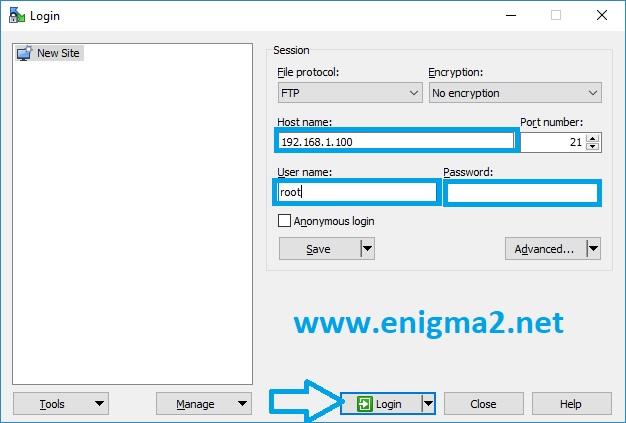
– Launch WINSCP in the home window
File protocol: FTP
Hot name: 192.168.1.100 (ip address of your VU+ )
User name: root
Password: “empty” by default the root password in OpenATV is empty (no password)
After clicking on Login
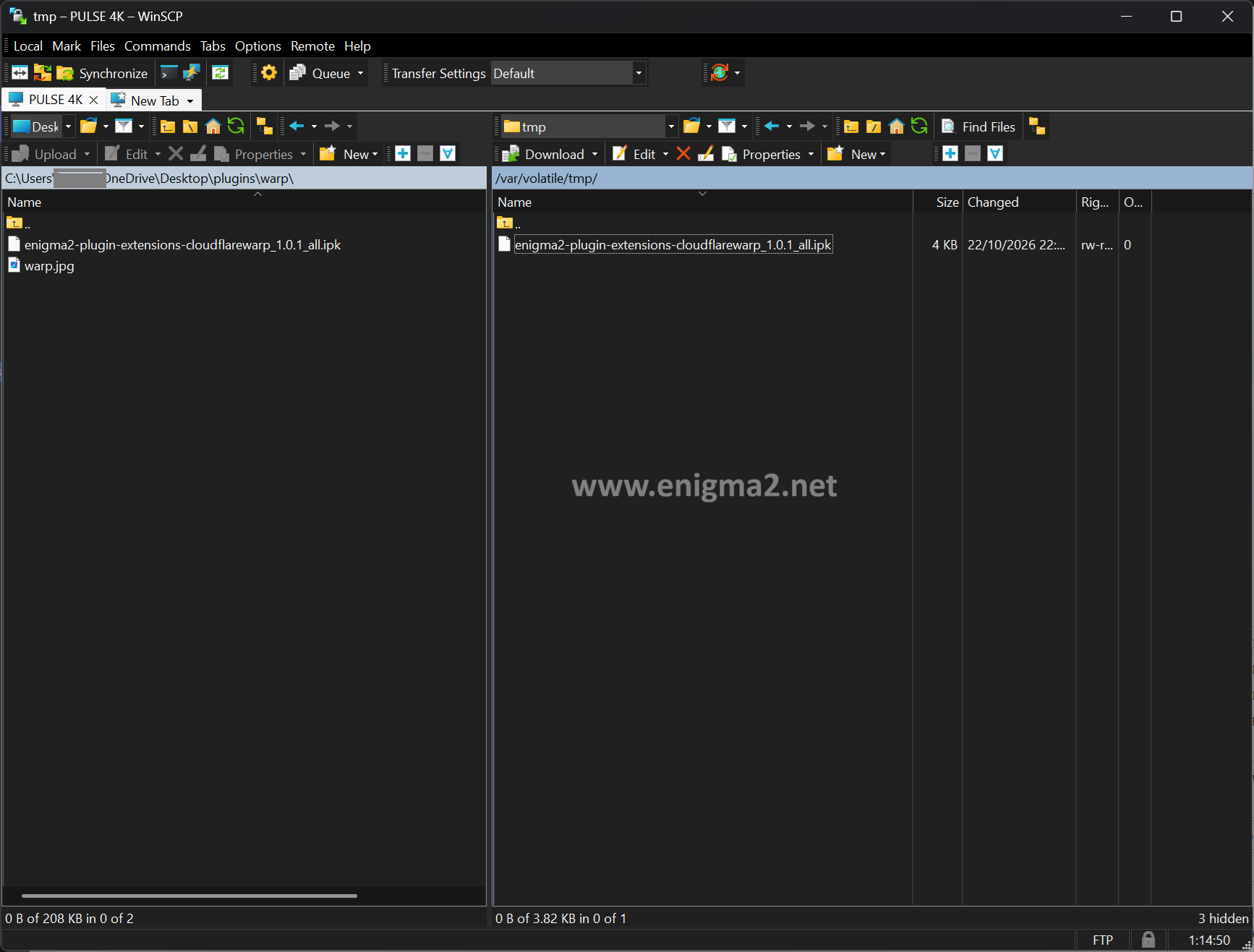
now copy Cloudflare WARP IPK file to TMP folder of your receiver
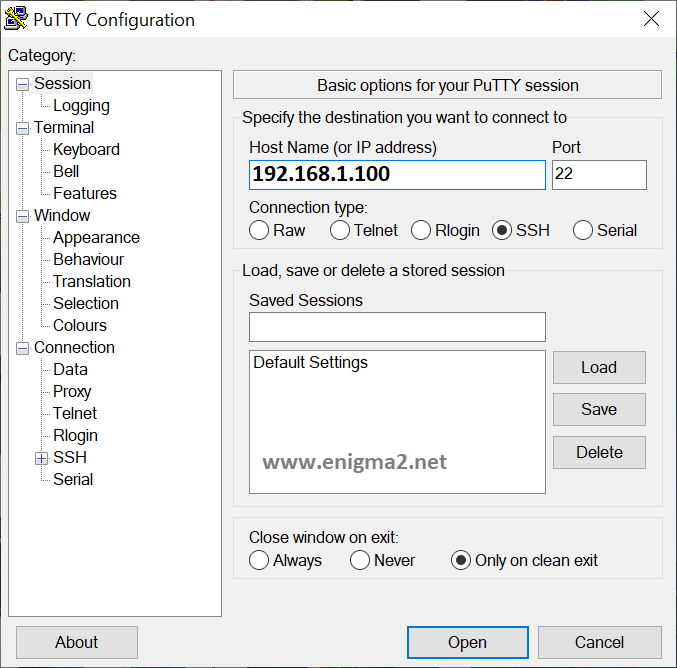
Download Putty and launch it
1. type the IP address of your receiver
2. choose Telnet or SSH
Type
User: root
Password: ”empty” no password needed just ENTER
opkg install /tmp/*.ipk 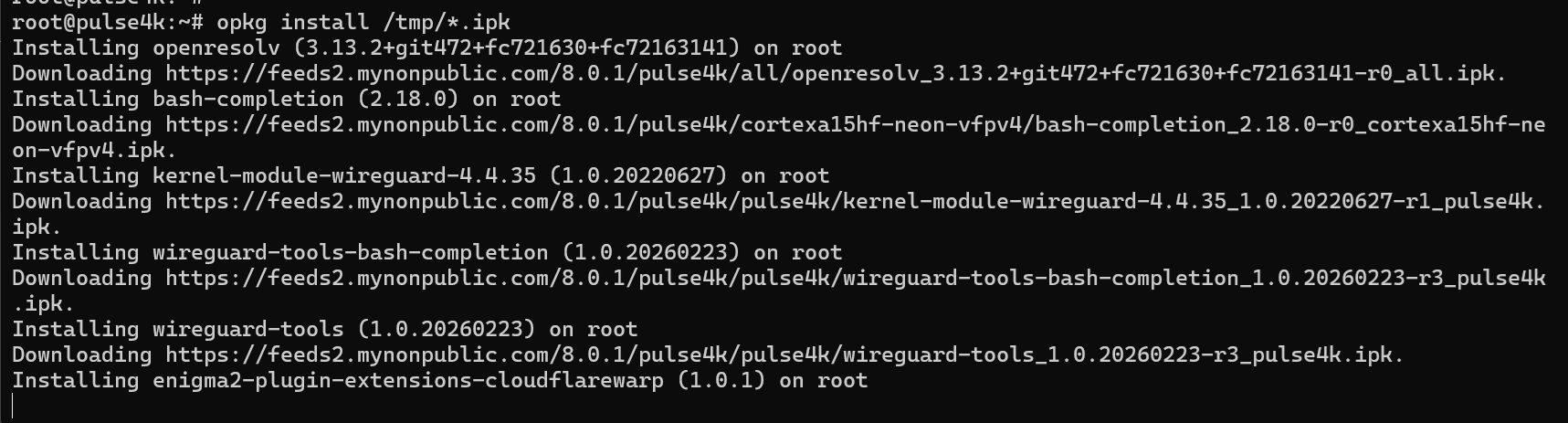
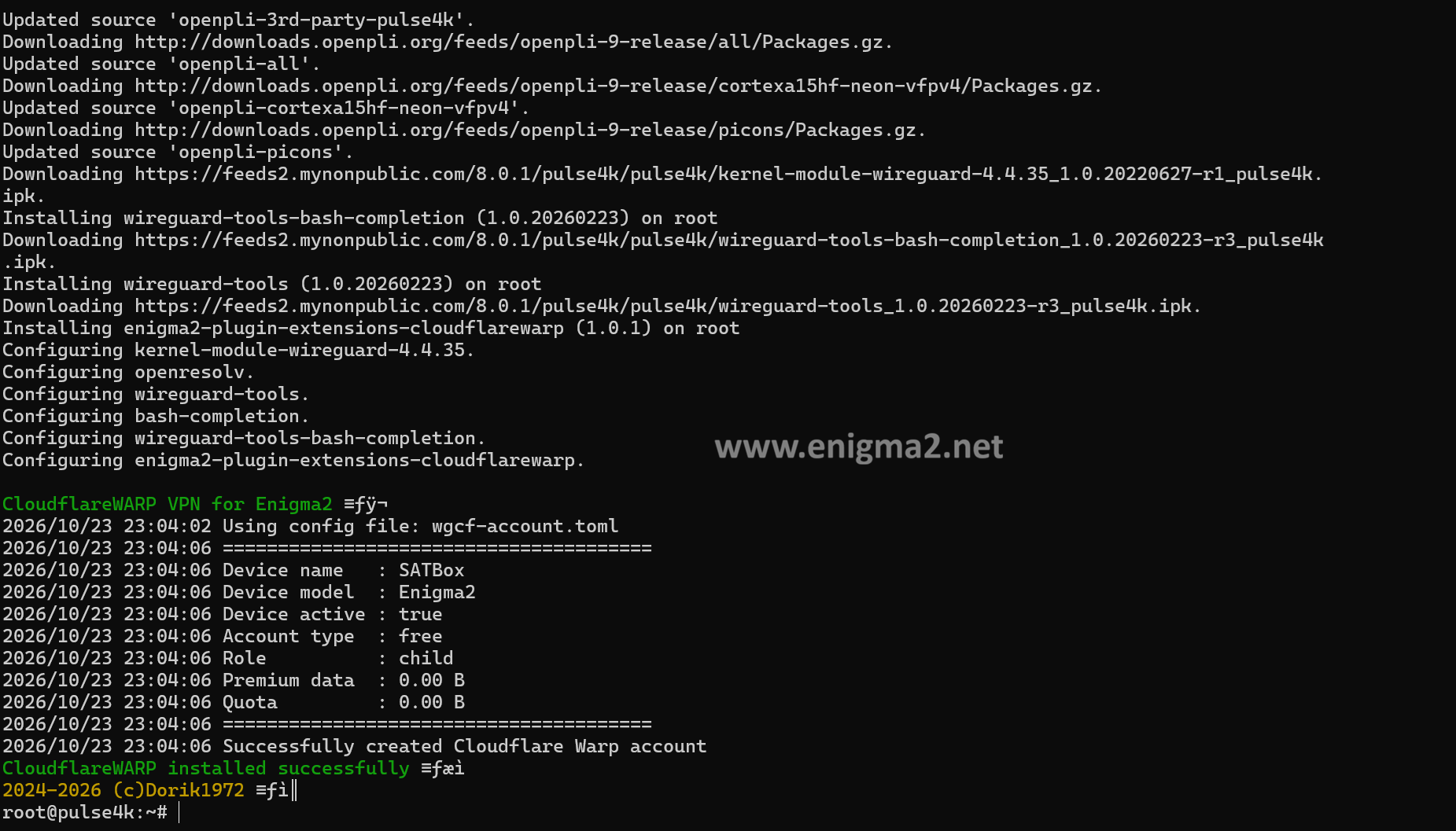
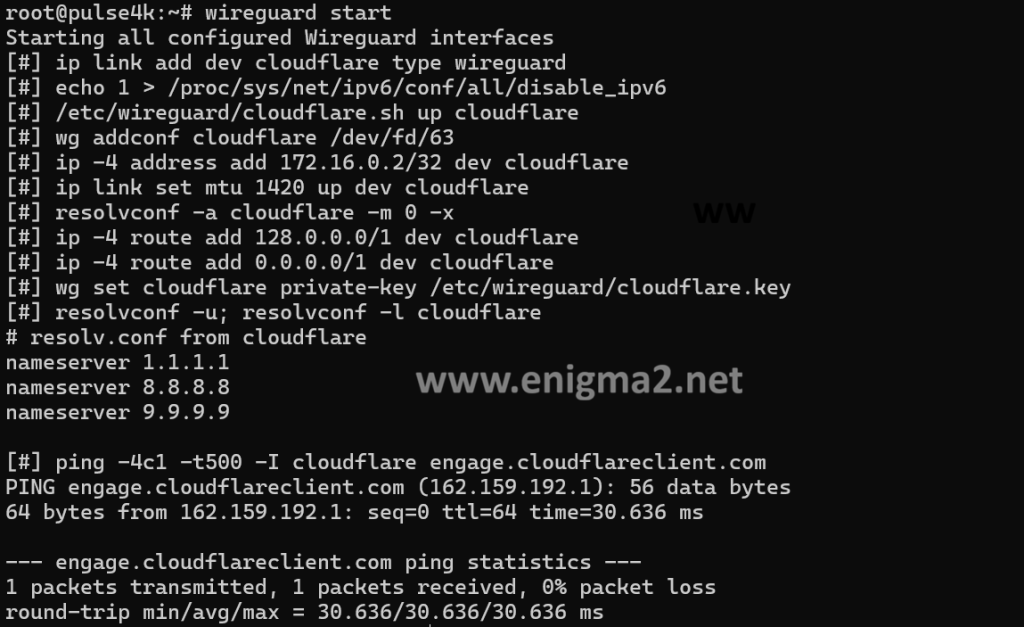
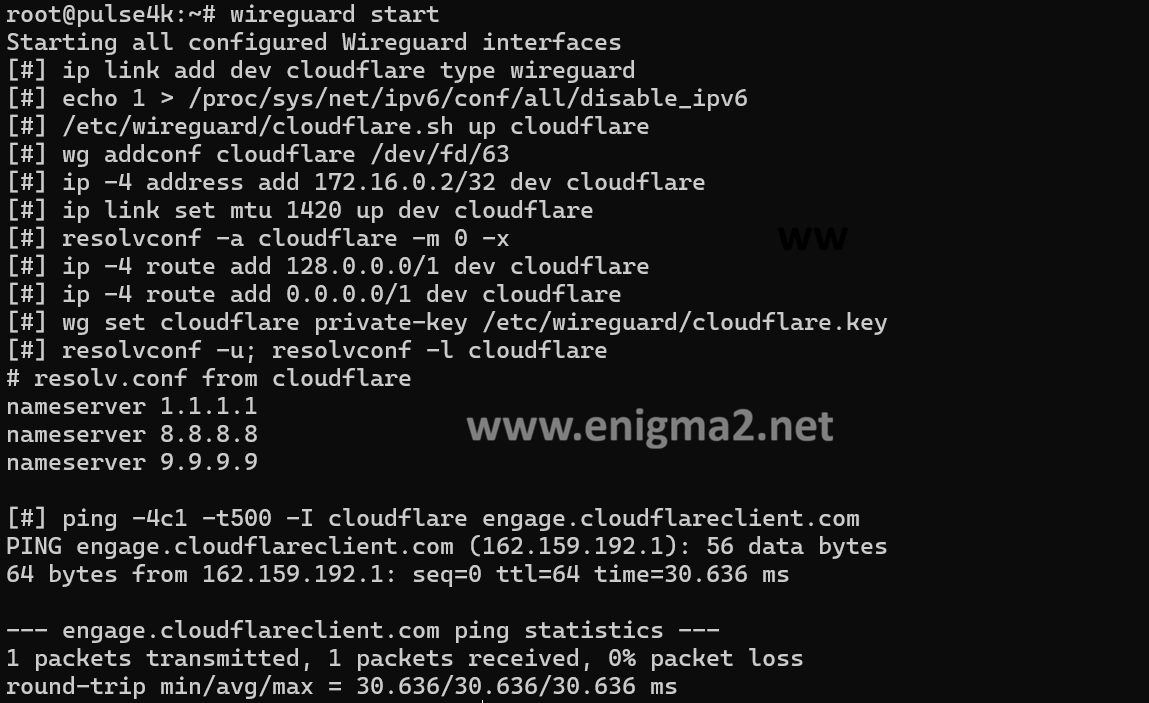
2) Run the script to check if the VPN works
wireguard start
 curl -4 ip-api.com
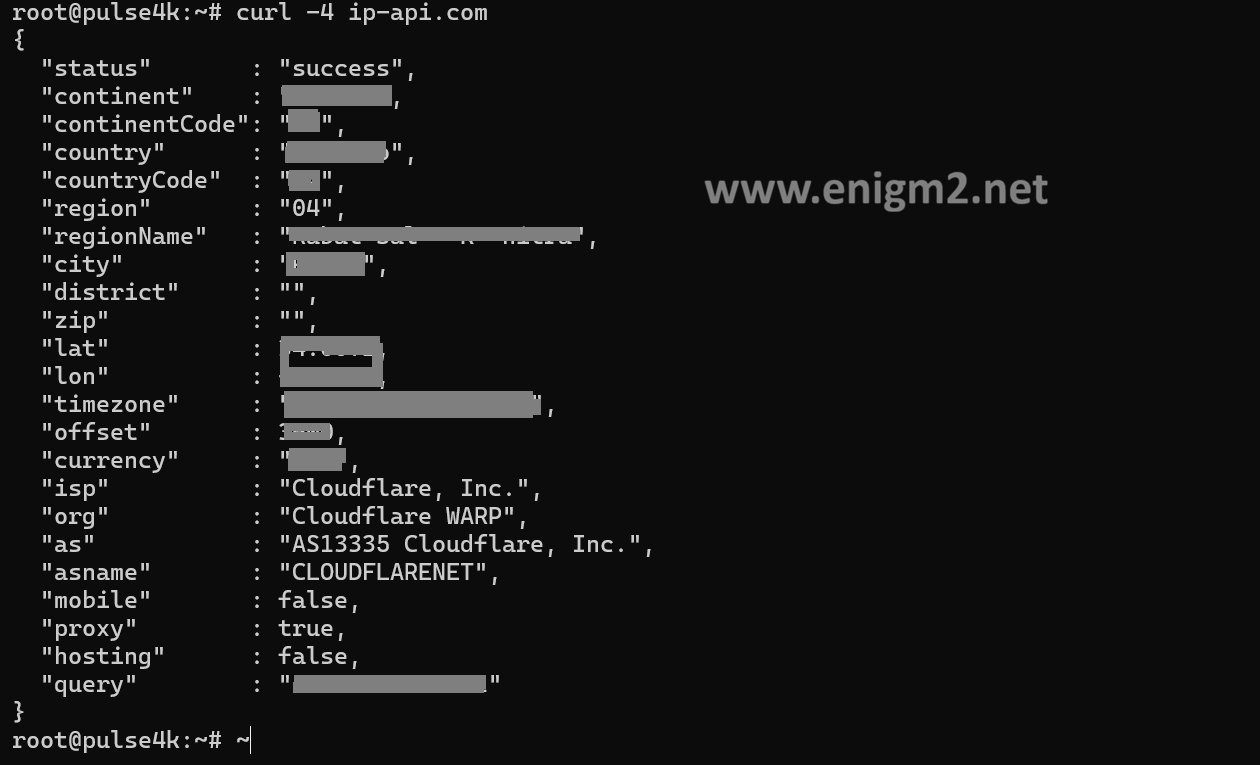
curl is not install by default on your OpenATV 8.0
-
Update the package list and install
curlby running:opkg update && opkg install curl -
Verify the installation:
curl --version
To stop the VPN execute the following command in the console
wireguard stop If you need the VPN to start automatically when the tuner is rebooted (turned on), then add the script to autorun with the following command in the console (do this only if everything works for you in points 2 and 3)
update-rc.d -v wireguard.sh start 99 5 .

6) To remove the script from startup, execute the following command in the terminal
enjoy :-)