[SKIN] CineView MLA – FHD
CineView MLA 1.1.5 — A Full-HD Enigma2 Skin with Two Design Systems
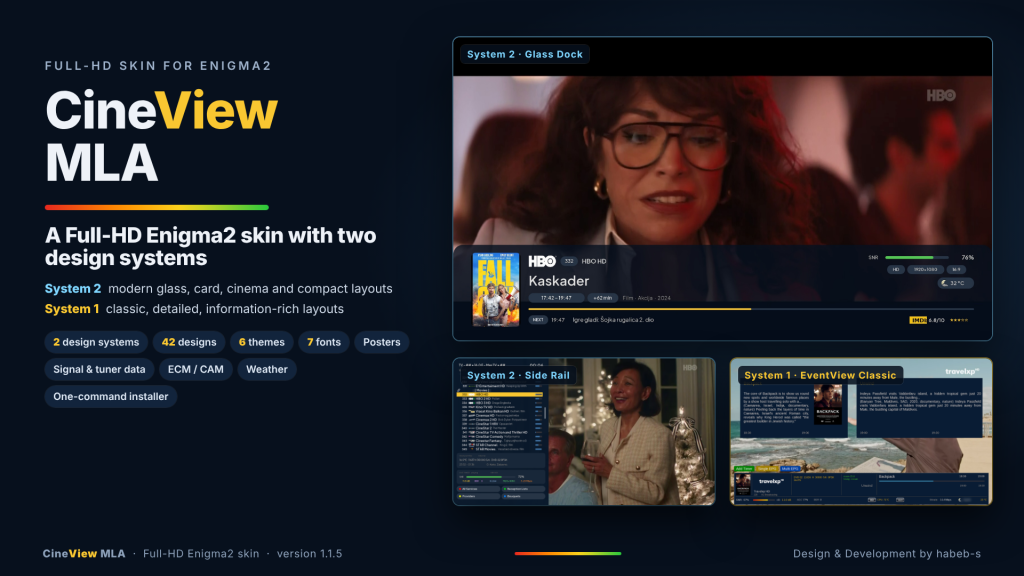
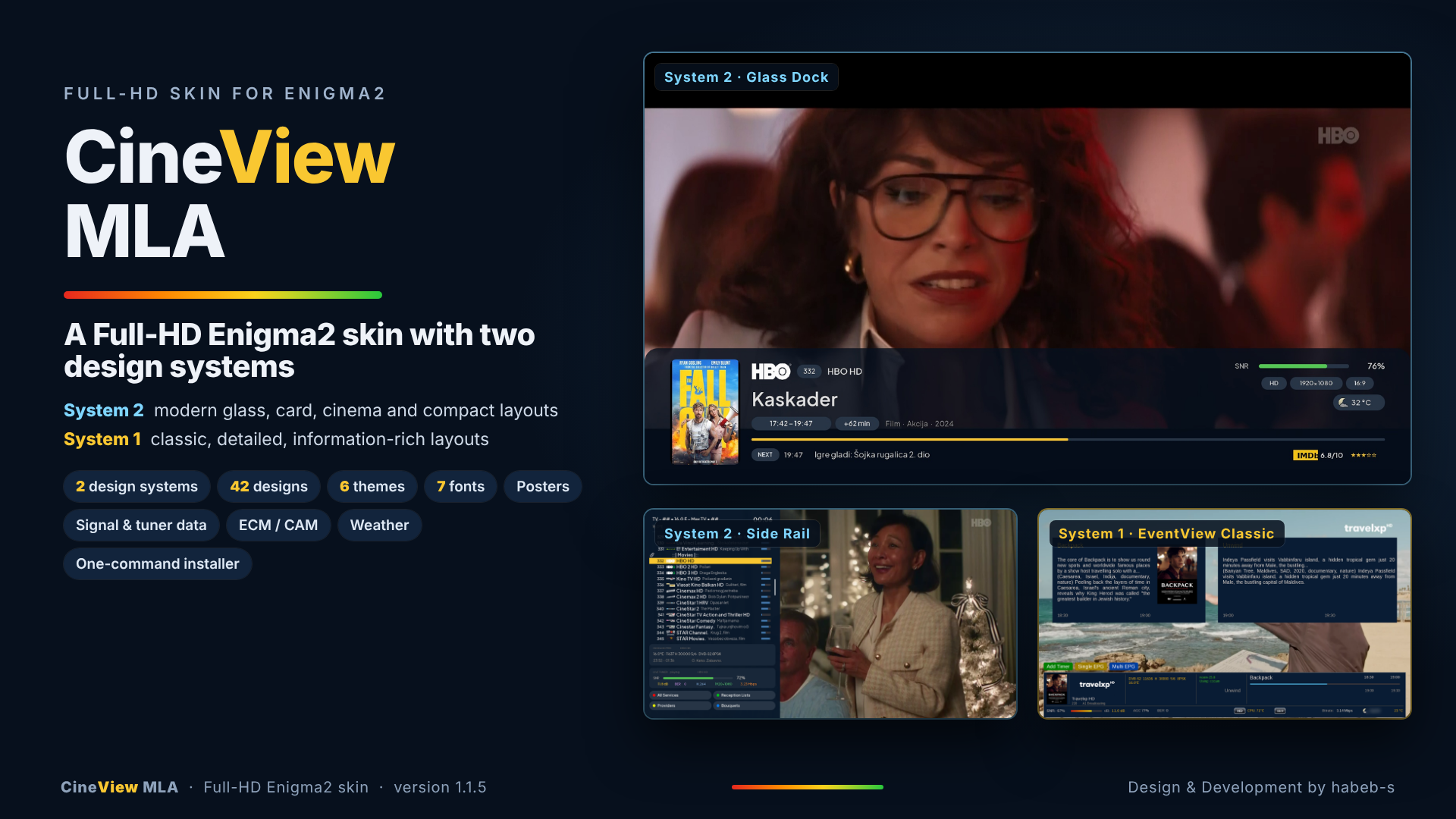
CineView MLA is designed around two different visual systems:
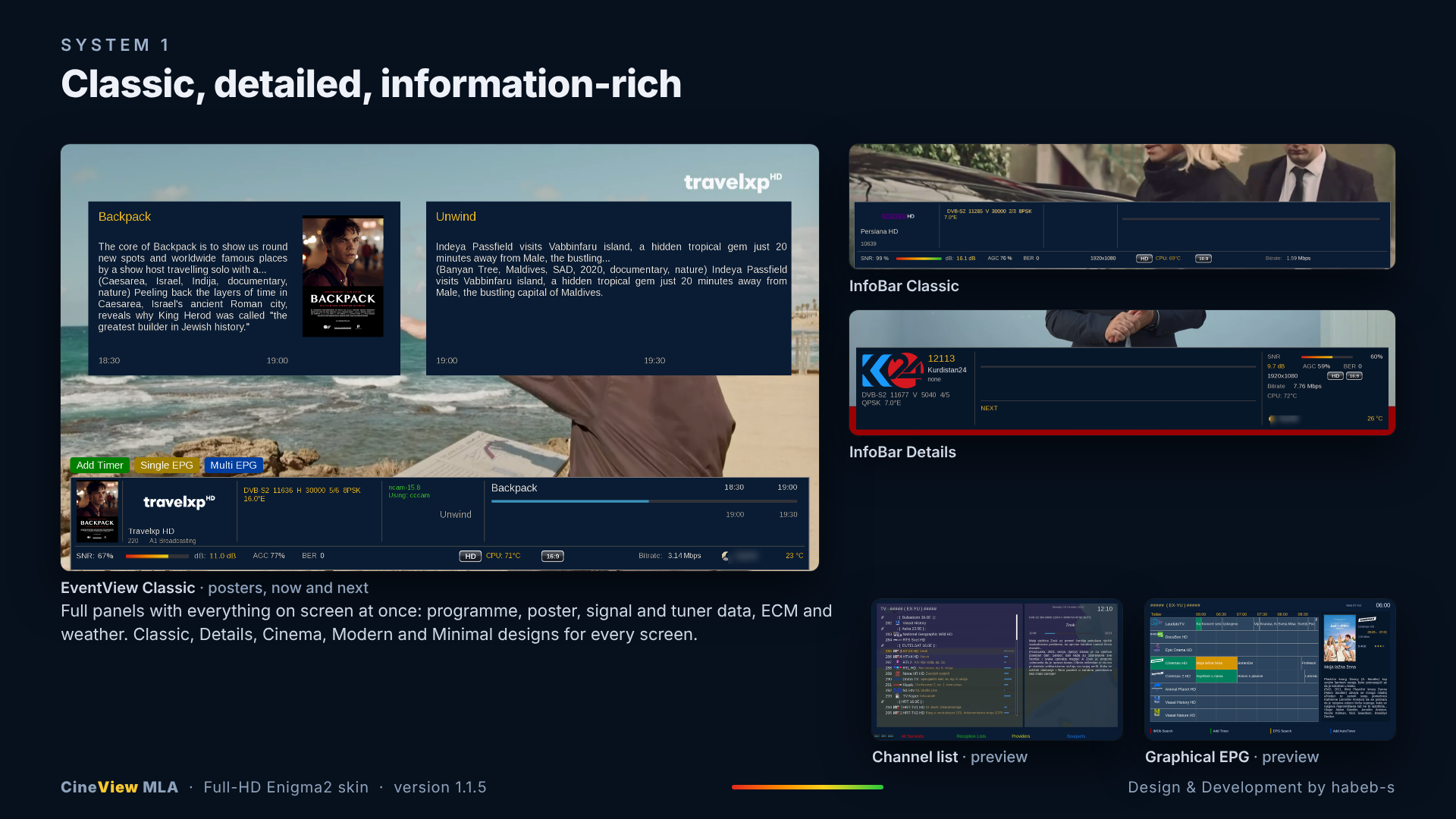
- System 1: classic, detailed and information-rich layouts.
- System 2: modern glass, card, cinema and compact layouts.
The skin currently includes 42 selectable designs, 6 themes and 7 fonts, with a consistent interface across the main receiver screens.
What CineView MLA includes
- Multiple primary InfoBar designs.
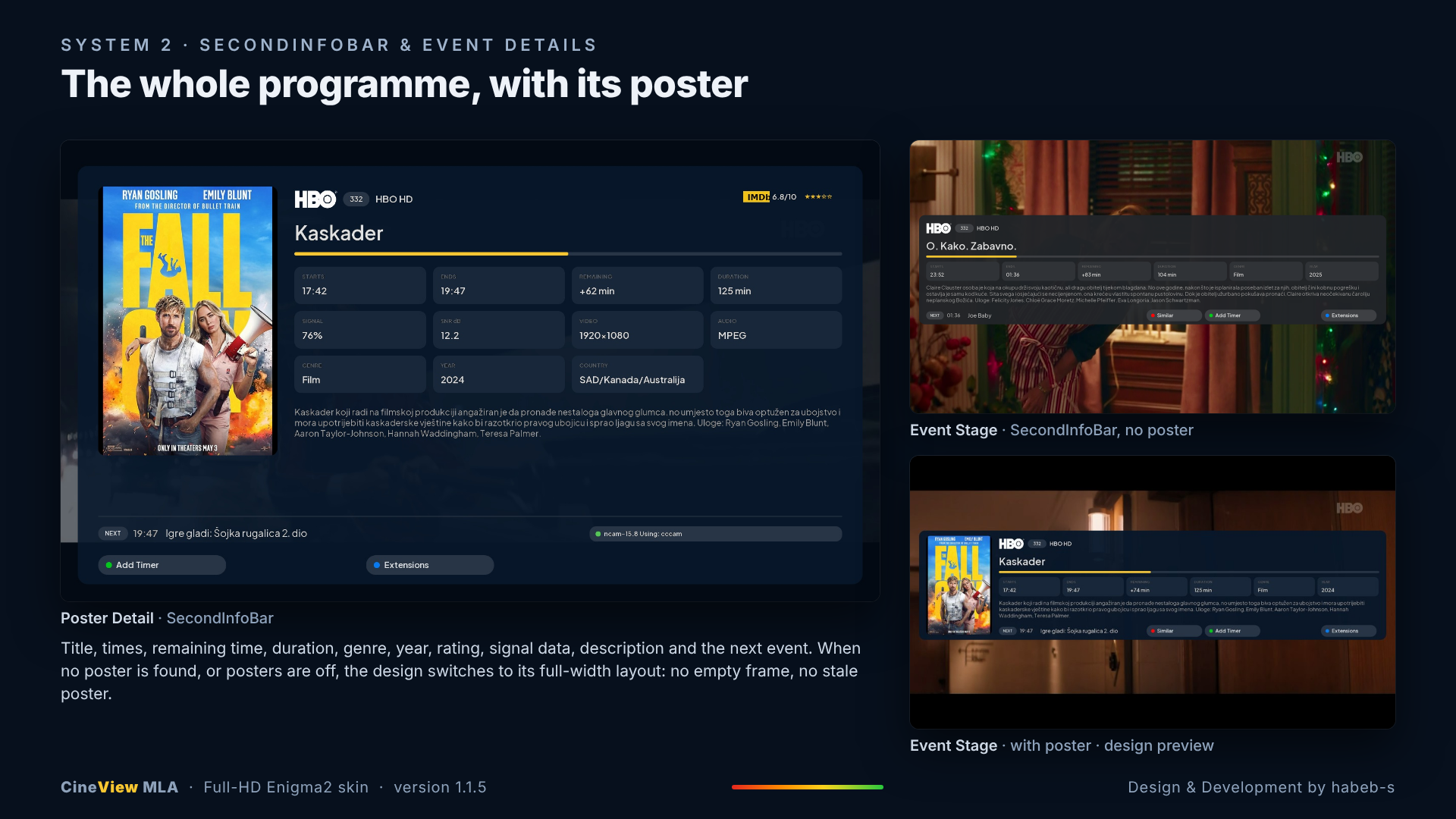
- SecondInfoBar with current and next programme information.
- EventView with descriptions, similar broadcasts and poster support.
- Channel Selection designs, including modern and side-panel layouts.
- EPG designs with different grid and information arrangements.
- Poster support with a clean fallback when no poster is available.
- Signal percentage and dB information.
- AGC and BER information.
- Bitrate, resolution, codec and aspect-ratio details.
- ECM/CAM information.
- Weather information.
- Modern glass, card, cinema and minimal layouts.
- Multiple colour themes and fonts.
- Smart Installer with automatic image and Python detection.
- SHA256 verification.
- Upgrade and rollback support.
System 2 designs
System 2 focuses on modern layouts and includes designs such as:
- Glass Line
- Detail Deck
- Glass Dock
- Signal Pro
- Cinema Card
- Event Stage
- Side Rail
- Poster Wall
- Timeline
- Video First
- Modern
- Compact
These designs are intended to keep the interface clean while still showing detailed programme, tuner and signal information.
What is new in version 1.1.5
One signal scale everywhere
All CineView signal-strength bars now use one continuous scale:
red → orange → yellow → green
The same signal language is used across System 1 and System 2, in every theme and on every supported screen.
Clearer EventView panels
The System 1 Classic EventView and Classic line-by-line EventView now use opaque panels. Programme descriptions remain readable over bright moving video instead of allowing the background picture to show through the text.
Fonts and text colours were not changed.
Real receiver testing
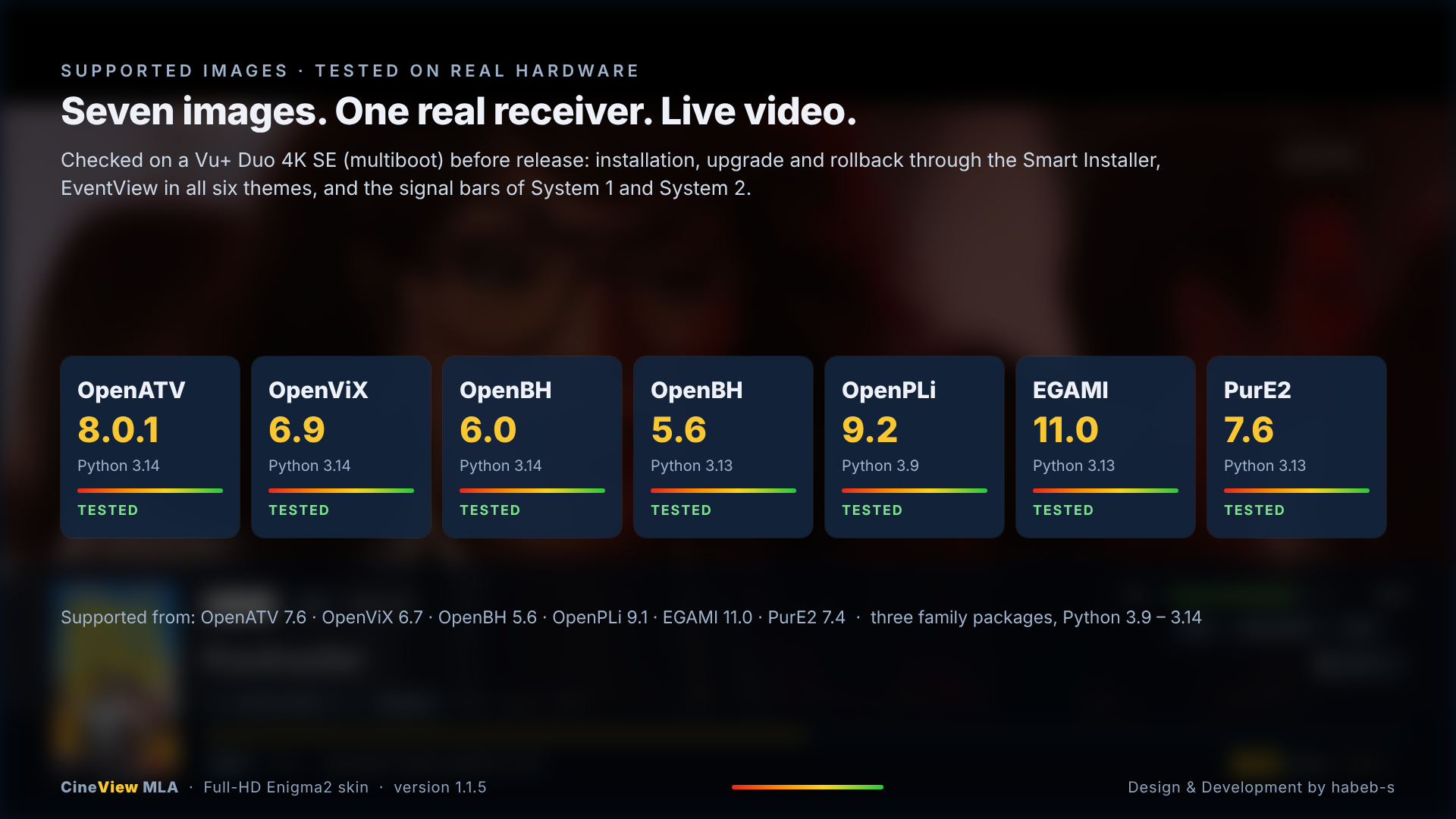
CineView MLA 1.1.5 was tested on a real Vu+ Duo 4K SE across seven image environments:
- OpenATV 8.0.1
- OpenViX 6.9
- OpenBH 6.0
- OpenBH 5.6
- OpenPLi 9.2
- EGAMI 11.0
- PurE2 7.6
Testing covered live video, the two design systems, themes, EventView, signal bars, installation, upgrade and rollback behaviour.
Installation
The Smart Installer automatically detects the receiver image and Python version, selects the correct package, verifies the SHA256 hash and preserves the existing design and settings.
Install or upgrade:
Notes
CineView MLA is a skin, so some displayed information depends on the receiver image, EPG data, picons, poster availability and tuner configuration.
Screenshots in this post are from real receiver sessions and show the skin running with live video.
More screenshots and design examples are attached below.
Feedback, compatibility reports and screenshots from other receivers are welcome.

wget -qO /tmp/cineview-install.sh https://raw.githubusercontent.com/habeb-s/CineView-MLA-Install/main/cineview-install.sh && sh /tmp/cineview-install.sh

