[HOW TO FLASH] how to flash SAB Alpha Triple
To flash the SAB Alpha Triple, you will need to follow a specific power-on sequence. This receiver is unique because it uses a specific button-press count to enter the flash mode.
Preparation
-
USB Drive: Use a USB stick formatted to FAT32.
-
Download Image: Get the latest firmware (e.g., OpenPLi or OpenATV) specifically for the SAB Alpha Triple.
-
Extract Files: Unzip the folder. You should see a folder named
sabor files likeapp_db_plugin. -
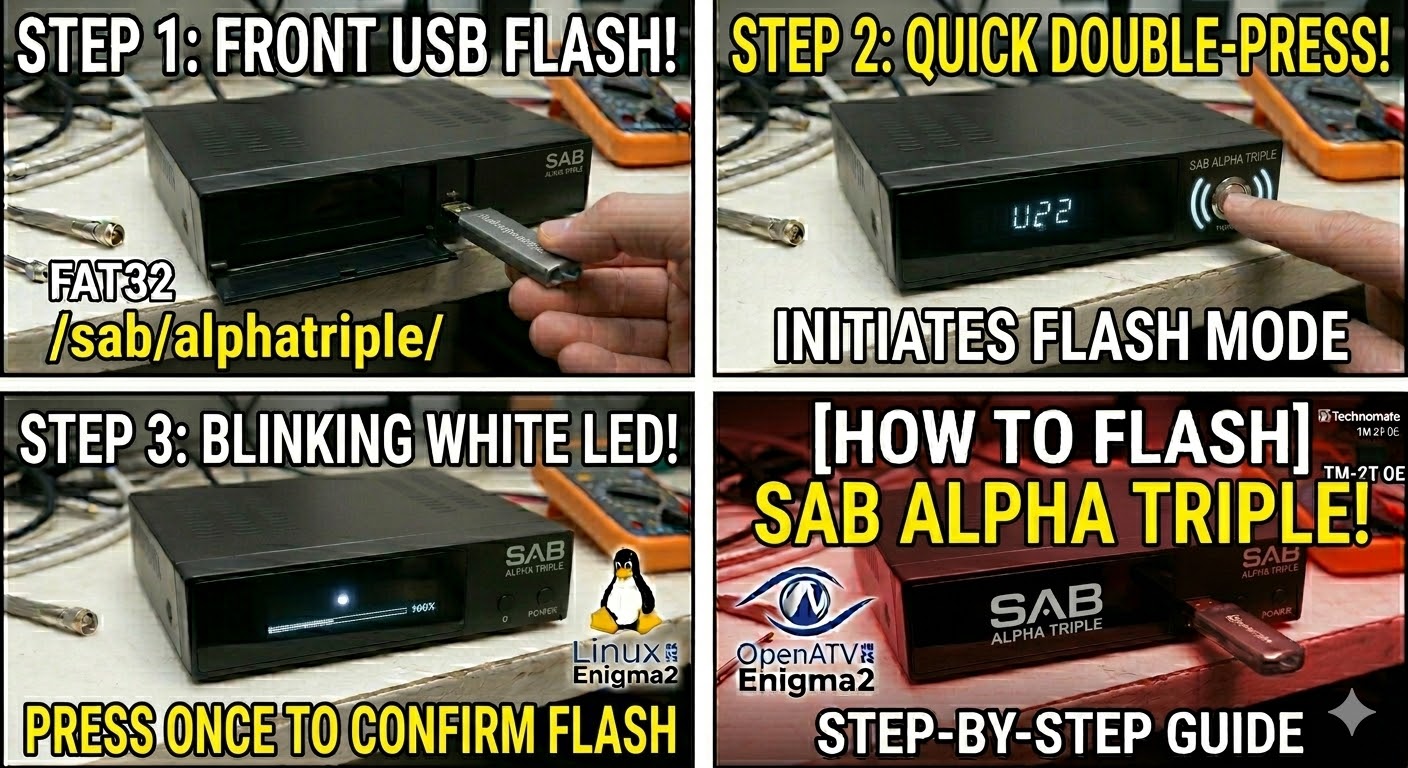
Copy to USB: Transfer the files to the root of the USB. For OpenPLi and similar images, the structure is usually:
-
USB Stick -> sab -> alphatriple -> (image files).
-
The Flashing Process
-
Power Down: Turn off the receiver using the power switch at the rear.
-
Insert USB: Plug the USB stick into the front USB port.
-
Power On & Initiate:
-
Turn the rear power switch to ON.
-
Immediately press the Power button on the front panel twice in quick succession.
-
-
Confirm: Watch for the white LED to start blinking. Once it blinks, press the Power button on the front panel one more time to start the update.
-
Wait: The receiver will begin the flashing process. Do not turn off the power until it is finished.
-
Complete: If successful, the receiver will reboot itself automatically. Once it reaches the setup wizard, you can remove the USB stick.
Quick Tips
-
USB Selection: Like many Enigma2 boxes, this model prefers smaller USB 2.0 drives (8GB or less).
-
LED Feedback: If the white LED does not blink after the double-press, turn off the rear switch and try the timing again. It needs to be a crisp “double-click.”