[HOW TO FLASH] how to flash IZIBOX X4
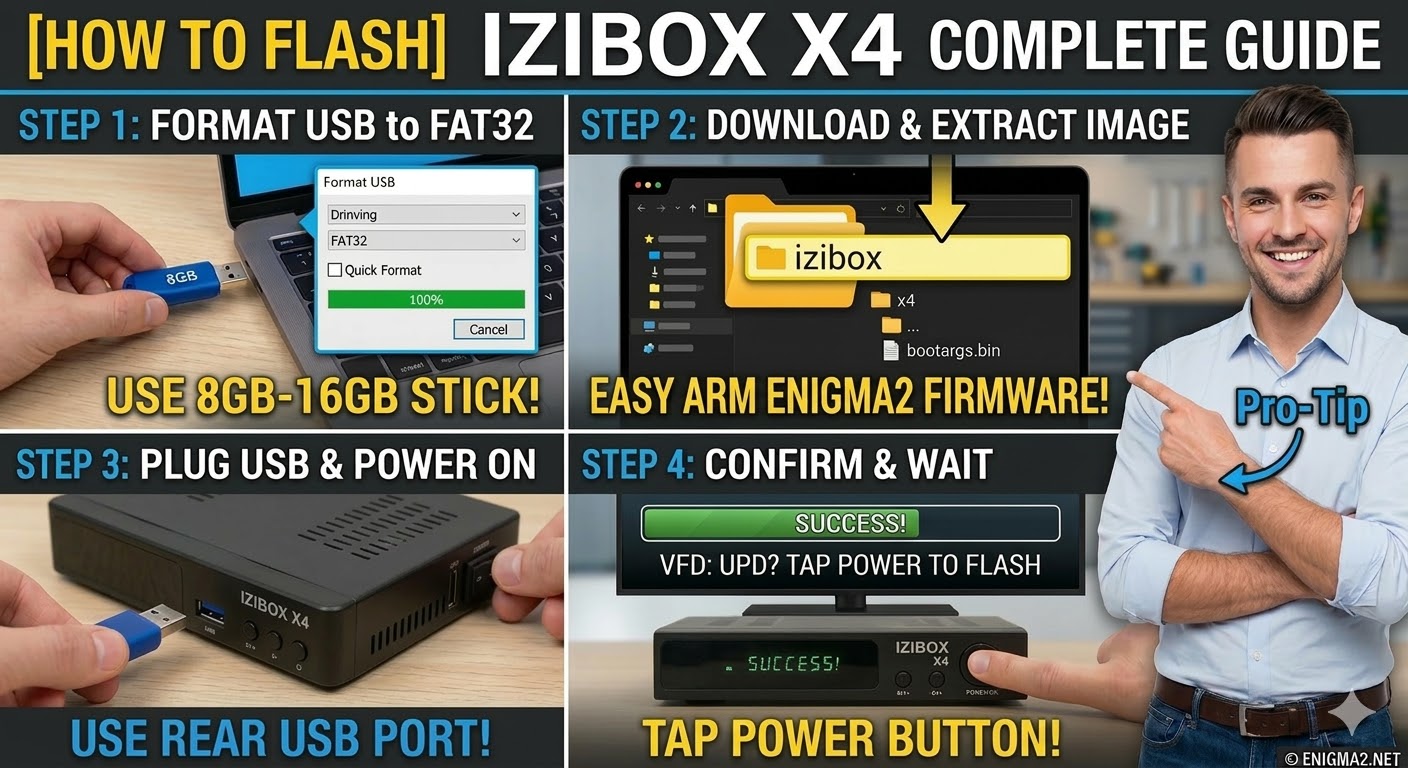
To flash the IZIBOX X4, you will follow the procedure for this popular ARM-based receiver. It is known for its fast boot times and multiboot support, which means the folder structure is critical for the bootloader to recognize the image.
1. Preparation
-
USB Stick: A high-quality USB 2.0 or 3.0 stick. 8GB to 16GB is the recommended size for compatibility.
-
Format: The stick must be formatted to FAT32.
-
Firmware: Download the “USB” or “Recovery” image specifically for the IZIBOX X4 (OpenATV and OpenHDF are excellent choices for this model).
2. Folder Structure
The IZIBOX bootloader searches for a specific directory name on the USB root.
-
Extract the firmware
.zipfile on your computer. -
You should see a folder named
izibox. -
Copy the entire
iziboxfolder to the root of your USB stick.-
Path:
USB:\izibox\x4\ -
Contents: Inside the
x4folder, you should see files likekernel.bin,rootfs.bin, andimage.flash.
-
3. The Flashing Process
-
Power Off: Unplug the receiver from the power source or use the rear switch.
-
Insert USB: Plug the USB stick into the rear USB port.
-
Power On: Plug the power back in while performing the next step.
-
Initiate Flash:
-
As soon as you power the box on, press and hold the Power button on the front panel (or the remote, depending on your firmware version).
-
Alternatively, some versions require you to repeatedly tap the Power button until the front display shows “UPD” or “USB”.
-
-
Wait: The front panel display will indicate the progress. Do not interrupt the power.
-
Completion: The receiver will reboot automatically into the new image.
Pro-Tip for enigma2.net
The IZIBOX X4 is quite versatile. If your users are trying to flash a “Recovery” image to fix a soft-bricked box, remind them that the folder structure remains the same, but the process might take a few minutes longer as it clears all multiboot slots. Always suggest using the rear USB port, as it has a direct path to the CPU for flashing.