[HOW TO FLASH] how to flash Octagon SFX6008 HD
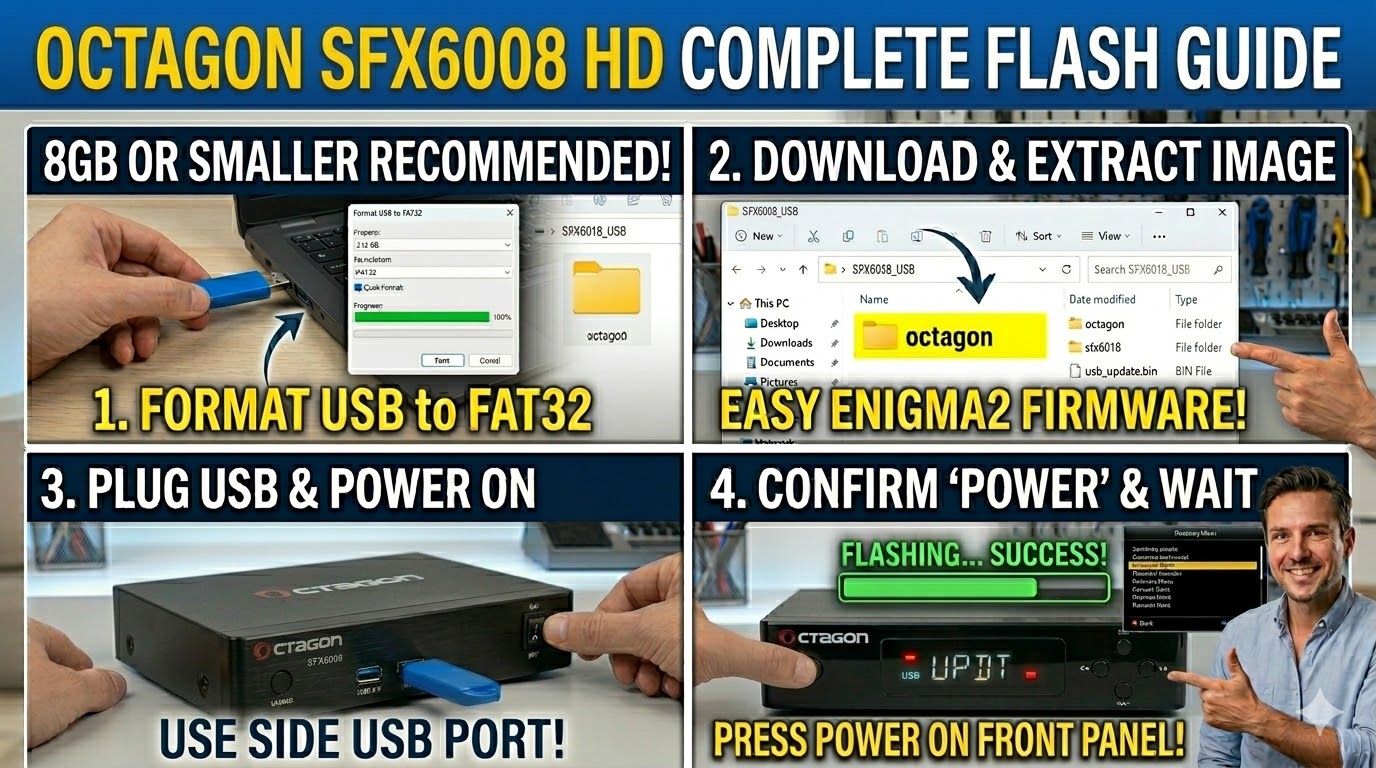
To flash the Octagon SFX6008 HD, you will follow a process identical to the SFX6018, as they share the same Hisilicon architecture and “Dual OS” capabilities. The key difference for the bootloader is the folder name on your USB stick.
1. Preparation
-
USB Stick: A high-quality USB 2.0 or 3.0 stick (8GB or smaller is best for compatibility).
-
Format: Must be formatted to FAT32.
-
Firmware: Download the SFX6008 specific Enigma2 image (e.g., OpenATV).
2. Folder Structure
The bootloader identifies the target hardware via the subfolder name.
-
Extract the firmware
.zipfile on your computer. -
Copy the entire
octagonfolder to the root of your USB stick.-
Path:
USB:\octagon\sfx6008\ -
Inside the sfx6008 folder: You must see files like
usb_update.bin,rootfs.tar.bz2, andimageversion.
-
3. The Flashing Process (Recovery Menu)
-
Power Off: Turn off the receiver using the power switch at the back.
-
Insert USB: Plug the USB stick into the side USB port.
-
Initiate Recovery: * Press and hold the Power button on the front panel.
-
While holding it, turn the back power switch to ON.
-
-
Enter Menu: Keep holding the front button until the Recovery Menu appears on your TV screen.
-
Select Flash: Use the remote to navigate to:
-
“Flash Recovery Image”: Use this if the box won’t boot or you want a fresh start.
-
“USB Multiboot Image Upgrade”: Use this to install Enigma2 into a specific multiboot slot.
-
-
Confirm: Select the file from the USB and press OK. The display will show “UPDT” during the process, and the box will reboot automatically when finished.

The flashing process should take approximately two to four minutes to complete, while the receiver
is being flashed it is vitally important that you DO NOT power the receiver down for any reason as
this can cause serious and or permanent damage.