[HOW TO FLASH] how to flash Marvel 1
To flash the Sezam Marvel 1 (often referred to simply as the Marvel), you follow a specific procedure tailored for this high-performance triple-tuner receiver.
Preparation
-
USB Drive: Use a USB stick formatted to FAT32. Older USB 2.0 drives (2GB or 4GB) are highly recommended for better compatibility with the bootloader.
-
Download Image: Ensure you have the correct firmware (OpenATV, OpenHDF, or Egami) specifically for the Sezam Marvel.
-
Extract Files: Unzip the folder on your computer. You should see a folder named
egamiorsezam. -
Copy to USB: Inside the folder, there must be a subfolder named
marvel.-
Path:
USB Stick -> marvel -> (image files: kernel.bin, rootfs.bin, etc.).
-
The Flashing Process
-
Power Down: Turn off the receiver using the physical power switch at the rear.
-
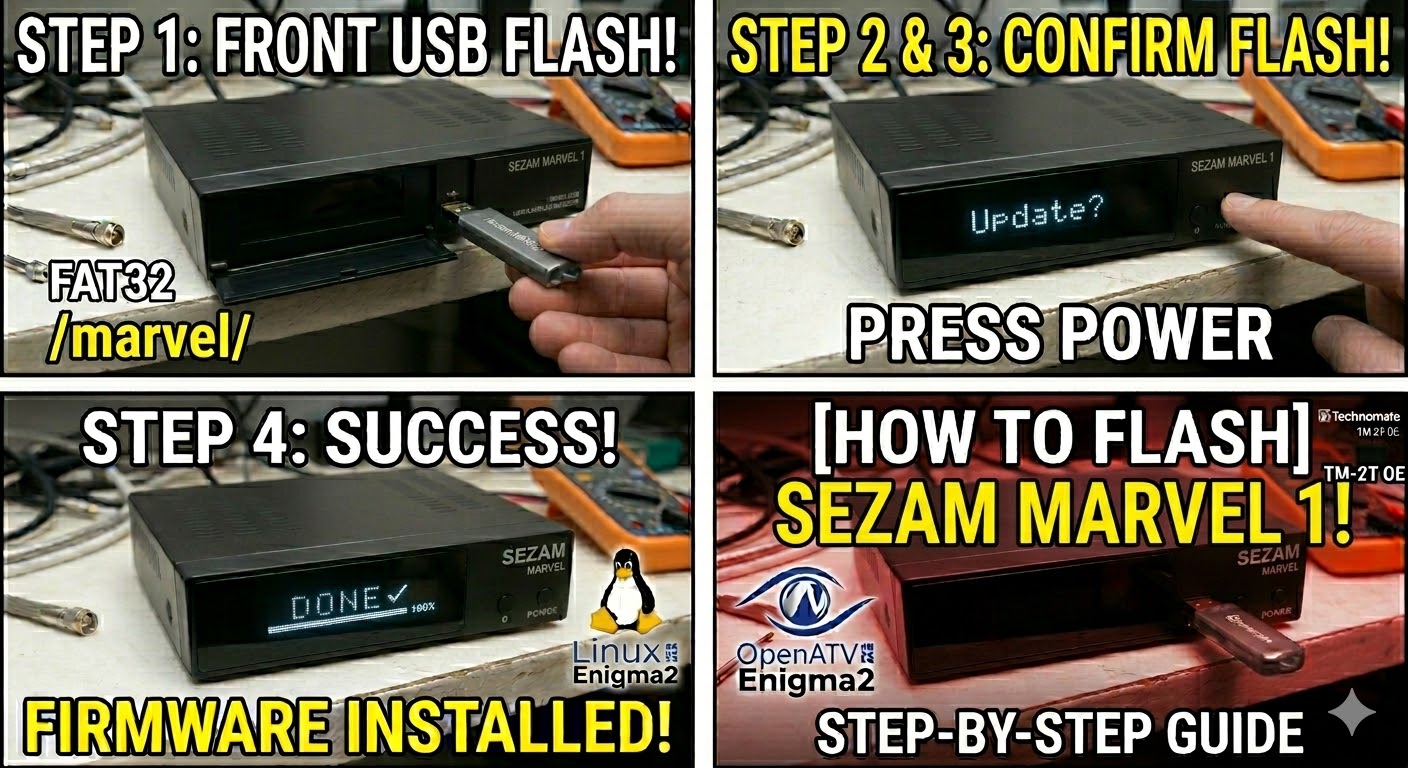
Insert USB: Plug the USB stick into the front USB port (located behind the front flap).
-
Power On: Flip the rear power switch to ON.
-
Initiate Flash: * Watch the front VFD (Vacuum Fluorescent Display).
-
When the display shows “Update?” or “Press Power”, press the Power button on the front panel immediately.
-
-
Wait: The display will show “Flashing” and usually a percentage count (0% to 100%). Do not interrupt the power until it is finished.
-
Complete: Once the process reaches 100% or says “Done,” the receiver will reboot automatically. You can then safely remove the USB stick.
Important Tips
-
Folder Name: Ensure the folder is named exactly
marvel. If it is namedsezamormarvel1, the box will likely ignore it. -
Force Method: If you can’t get the button press to work, find the file
noforcein themarvelfolder and rename it toforce. This will trigger an automatic flash upon boot.

The flashing process should take approximately two to four minutes to complete, while the receiver
is being flashed it is vitally important that you DO NOT power the receiver down for any reason as
this can cause serious and or permanent damage.