[TUTORIAL] How to install and setup XSTREAMITY on OpenPLi 9.2
Here is a tutorial on the installation and configuration of OScam on the enigma2 receiver under a OpenPLi 9.2 image.
For this tutorial you need.
Material:
DreamBox, DM920, DM900, DM7080, DM820, DM525, DM525
Vu + ZERO, UNO, DUO, DUO 2, ULTIMO, SOLO, SOLO 2, SOLO SE, zero 4K, Uno 4k, solo 4k,DUO 4K, Ultimo 4K
Formuler F1, F3, F4, F4 tubo, Xpeed LX class S2/C, XP1000, VS1000, VS1500, Viper Combo, Viper T2/C,Viper Combo HDD, ZGEMMA, Spycat Mini, Spycat Mini Plus, Mut@nt, ET-7000 Mini, ET-11000, Alpha Triple HD,Axas E4HD 4K Ultra, Qviart Linux, Linux3 4K, Gigablue UHD Quad 4K, Gigablue UE 4K,Edison OS mini, Edison OS mini +, Edison OS mega, Edison OS nino, Miraclebox Premium Twin+, Miraclebox Premium Micro, Miraclebox Premium Micro v2.
IPTV- XTREAM CODE subscription for x-streamity
If you do not have a subscription you can order it here

1- Installing X-STREAMITY
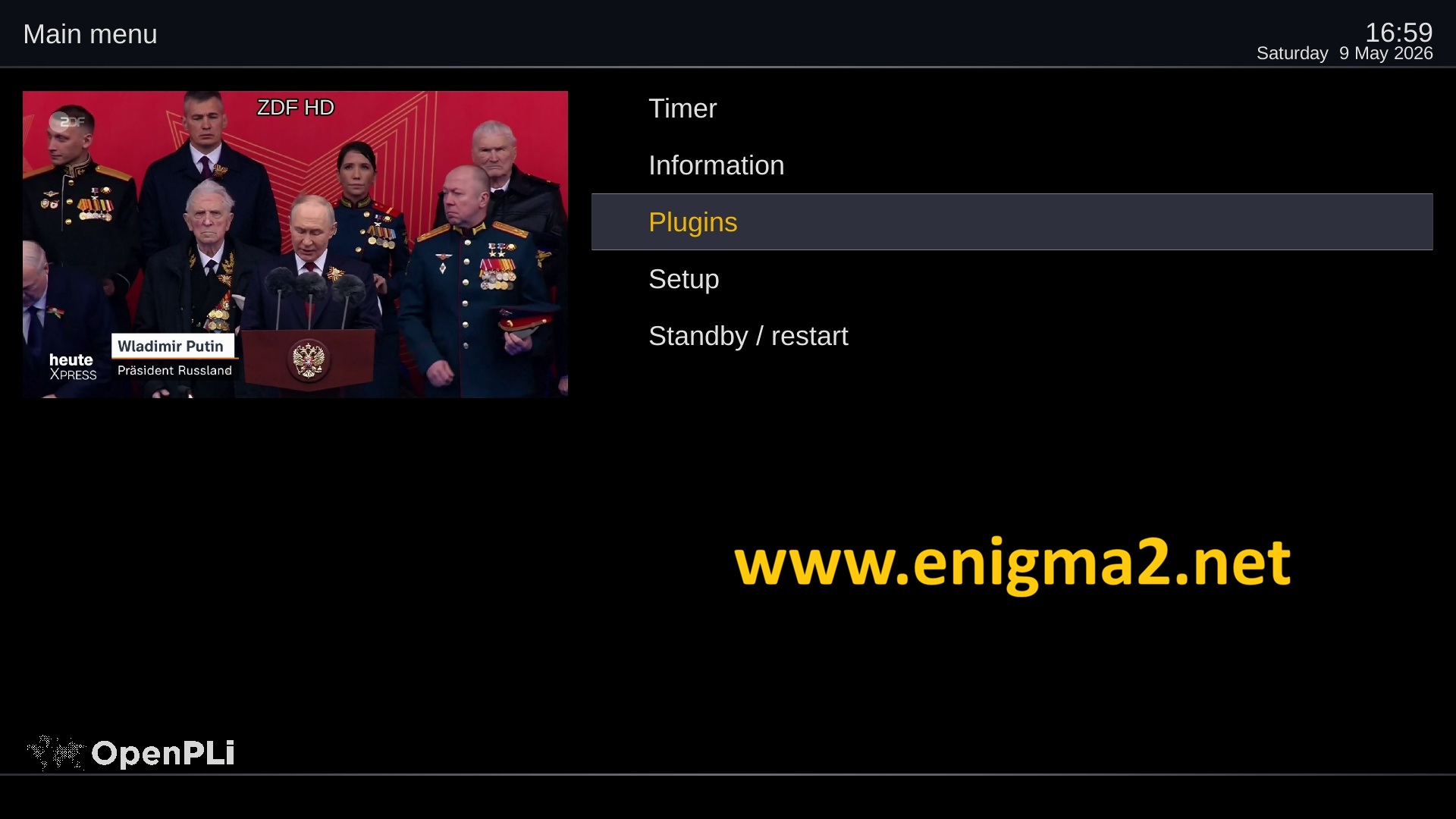
Menu –> Plugins
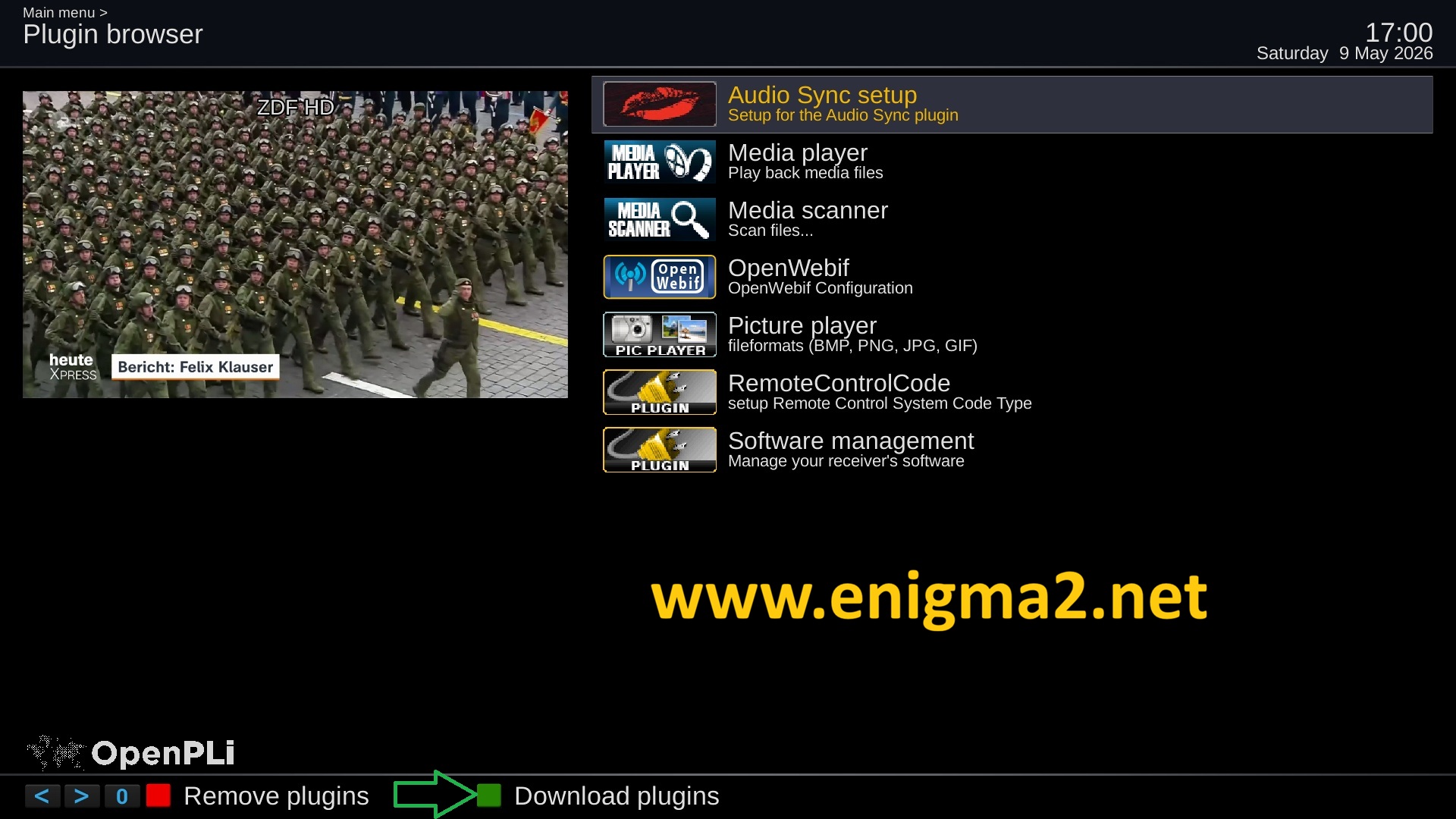
Press GREEN BUTTON to download plugins
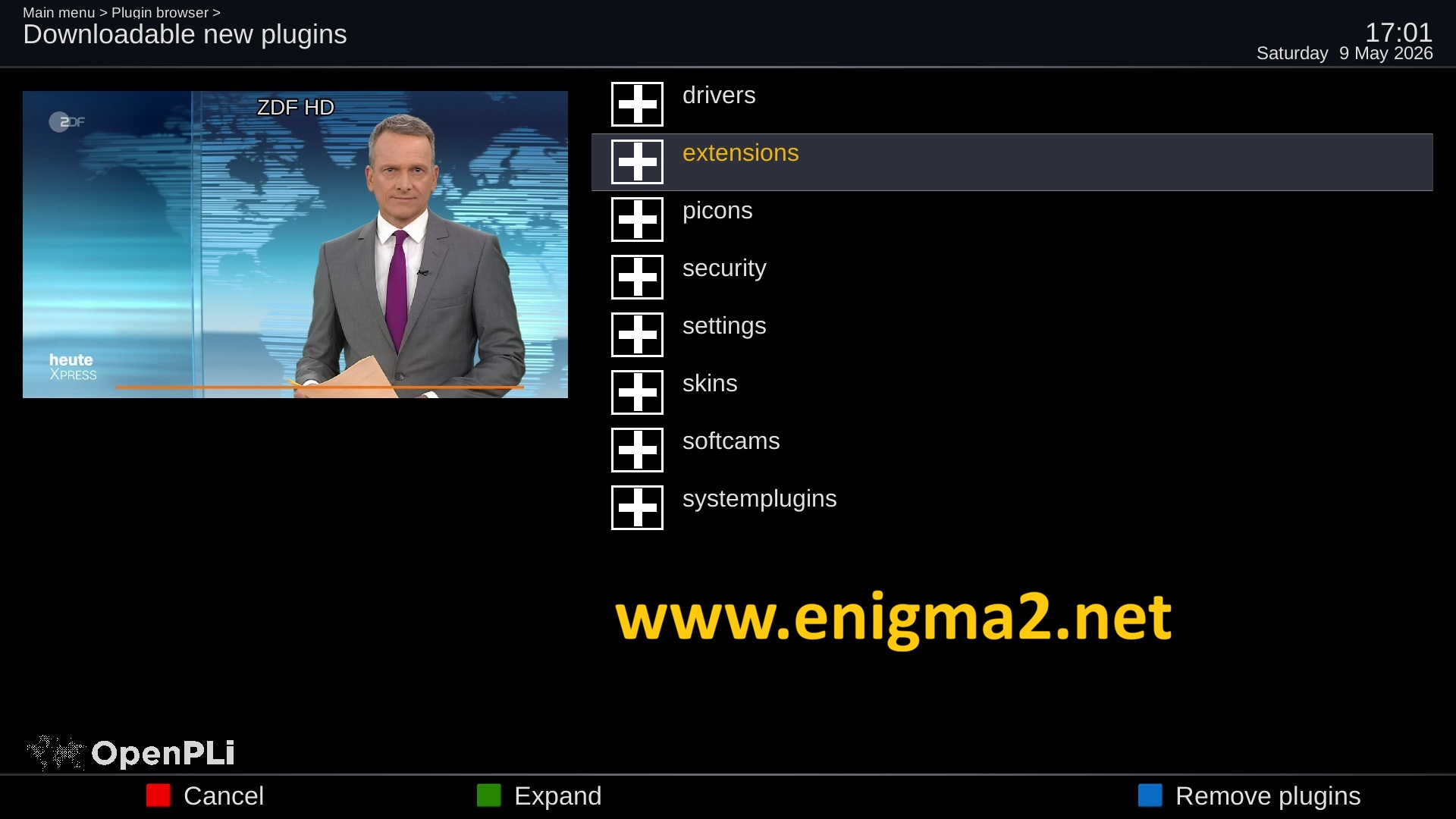
Select Extensions and press OK
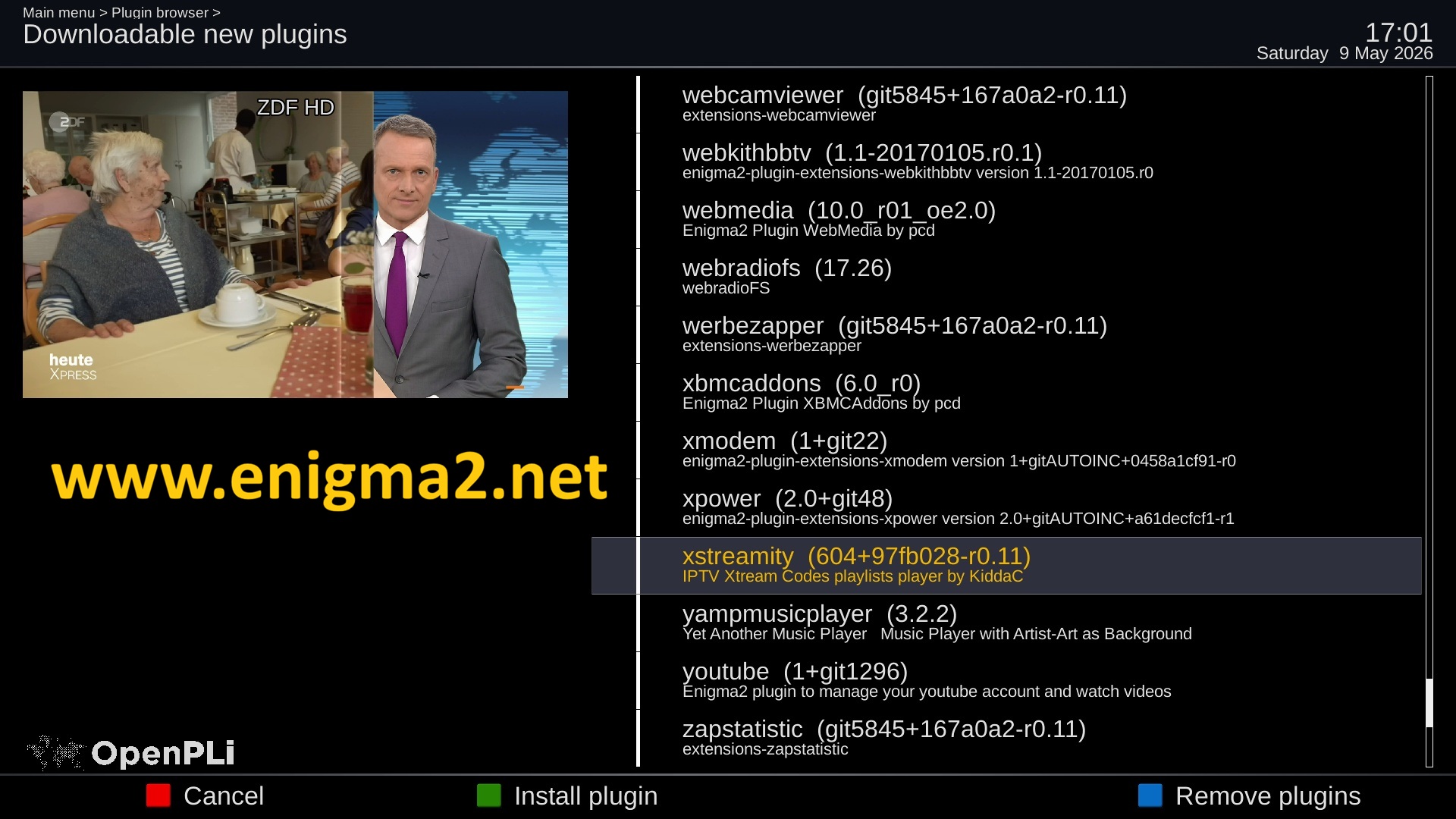
select softwaremanager and press OK + green button to start installation

choose YES to confirm installation
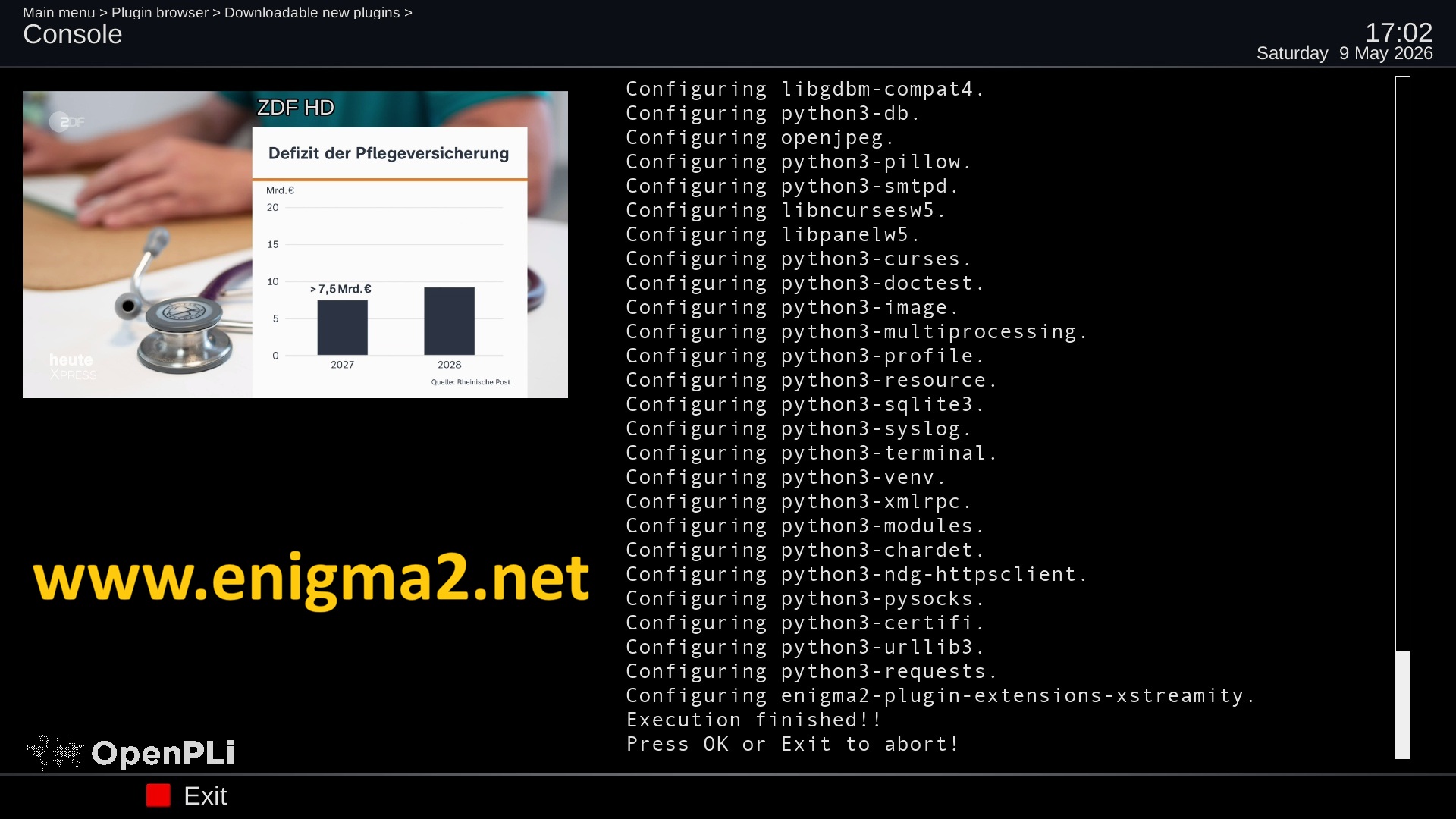
The installation will take some seconds, please wait.
after installation press Exit
IMPORTNAT : restart Graphic User Intergace from MENU or reboot your receiver.
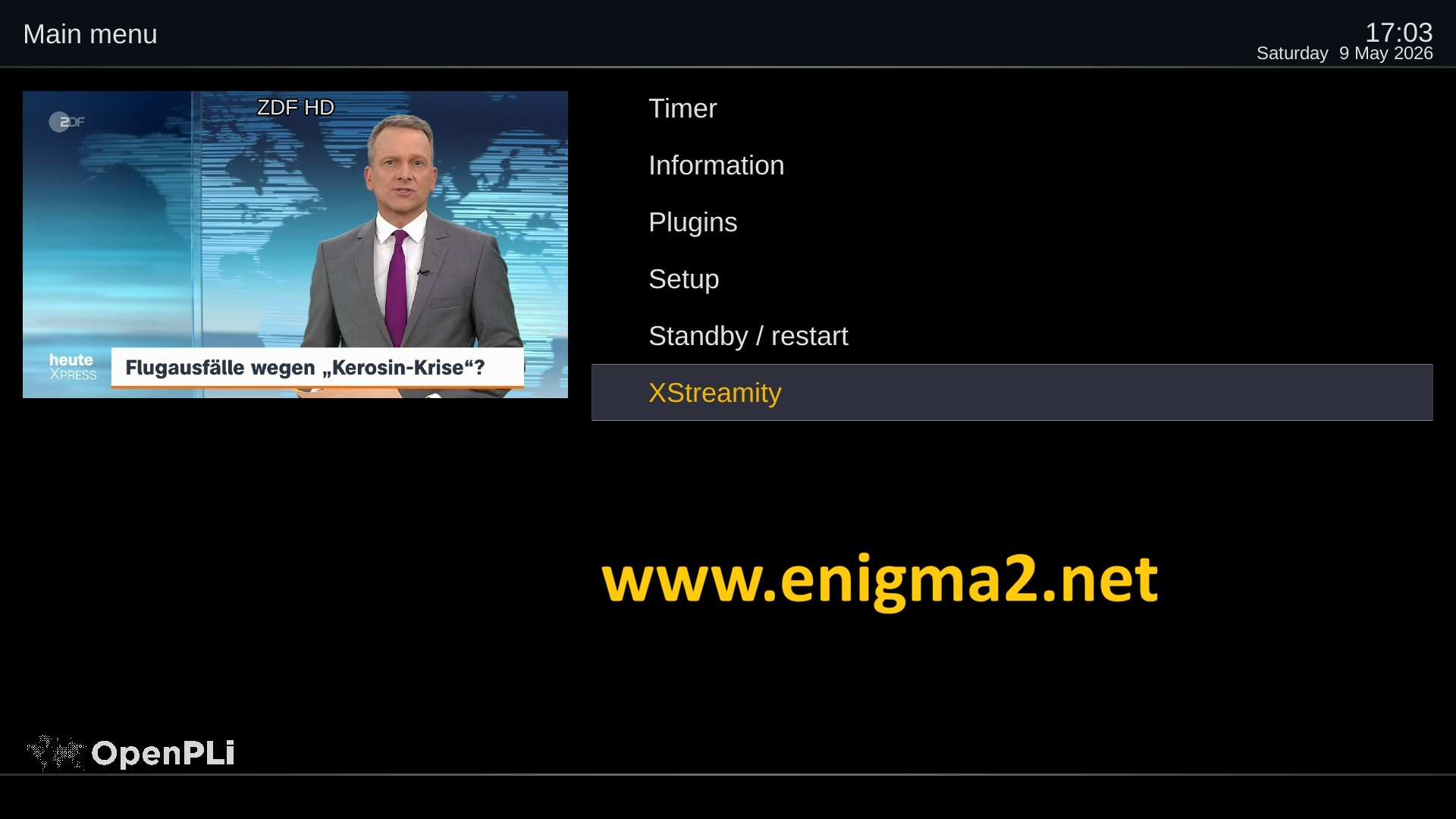
now, press MENU – XSTREAMITY
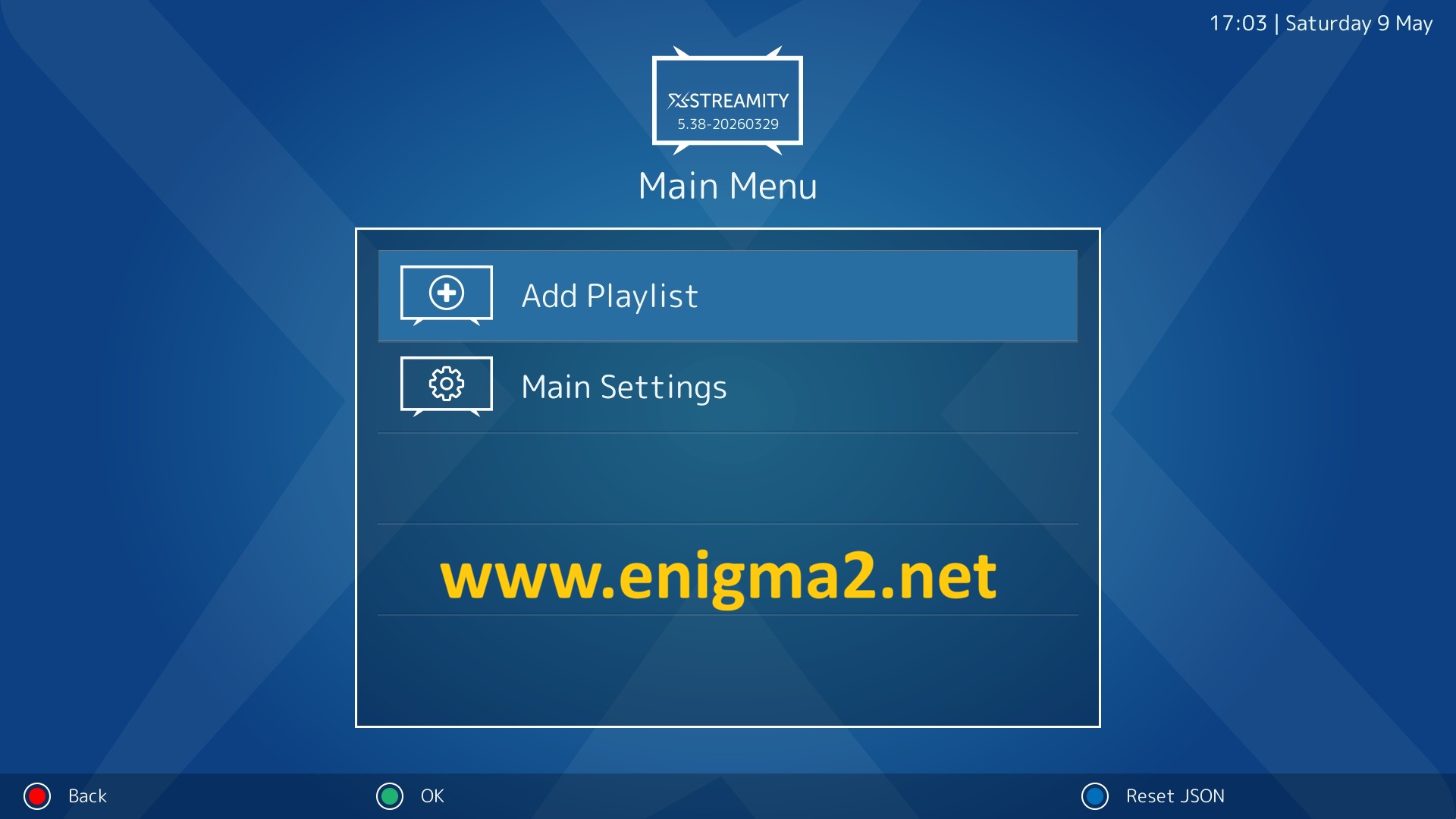
select Add Playlist
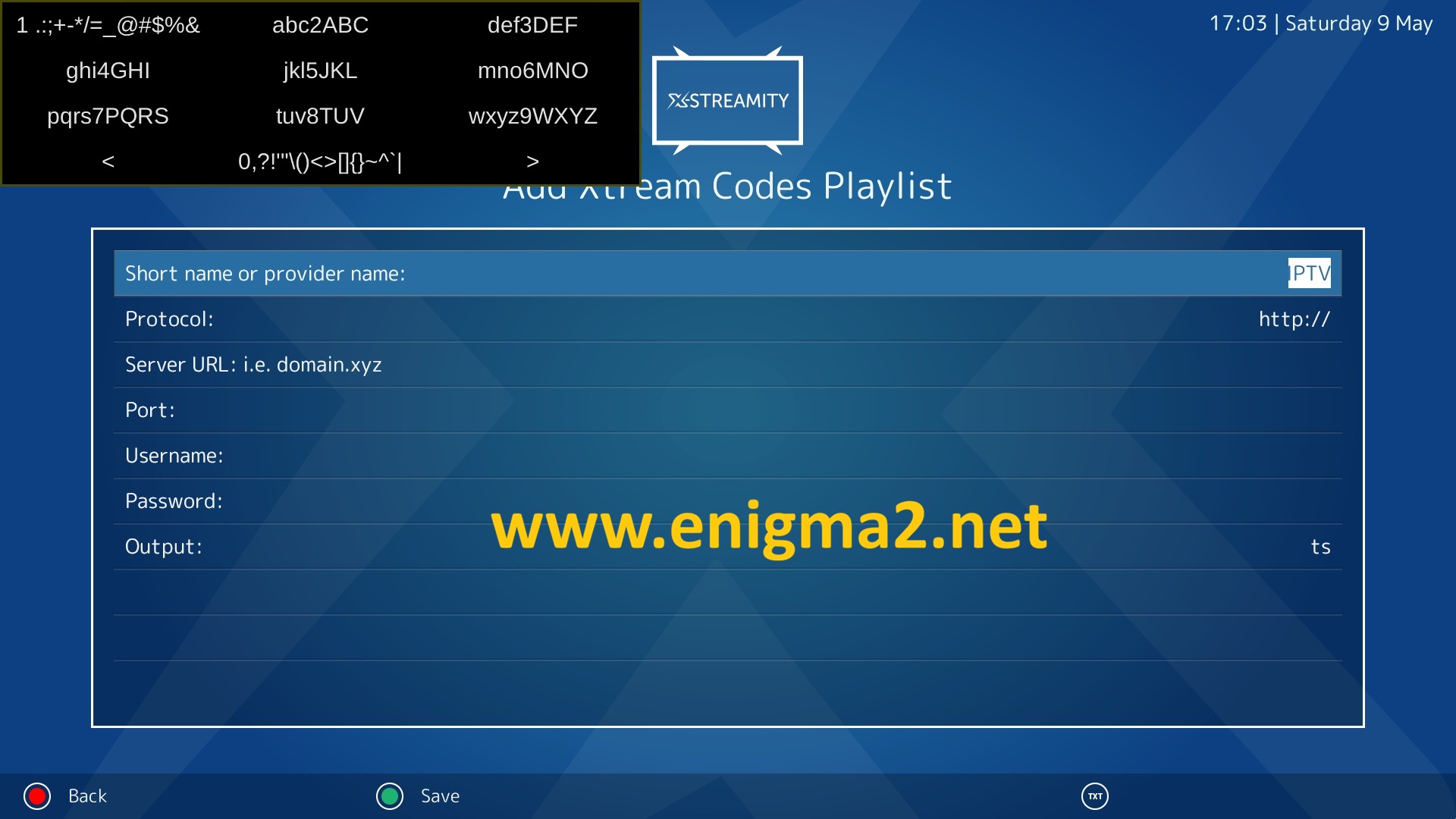
Enter the information of your subscription receiver from your IPTV provider
After press GREEN BUTTON to SAVE playlist
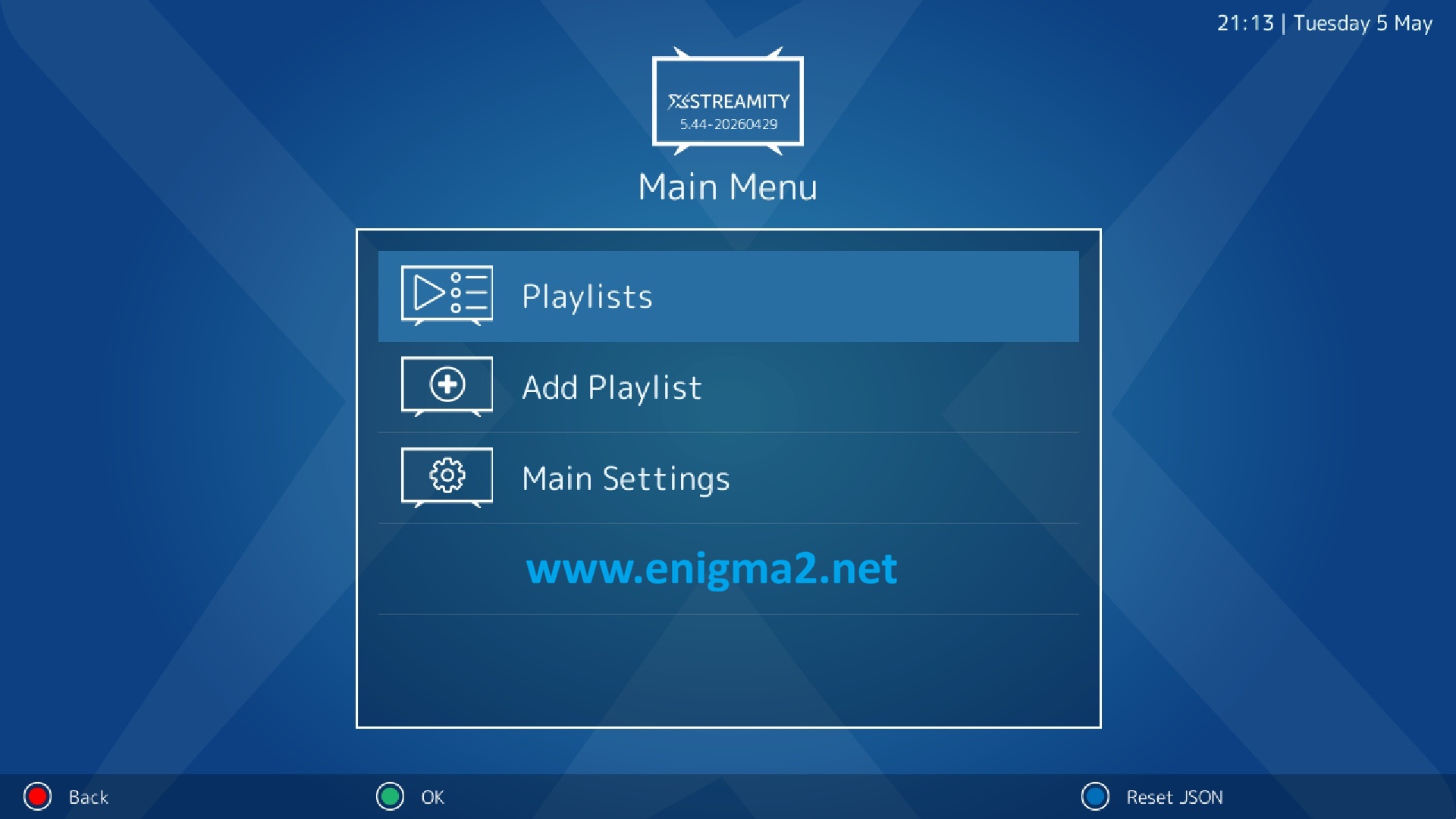
PLAYLIST added with success.
choose playlists and press OK
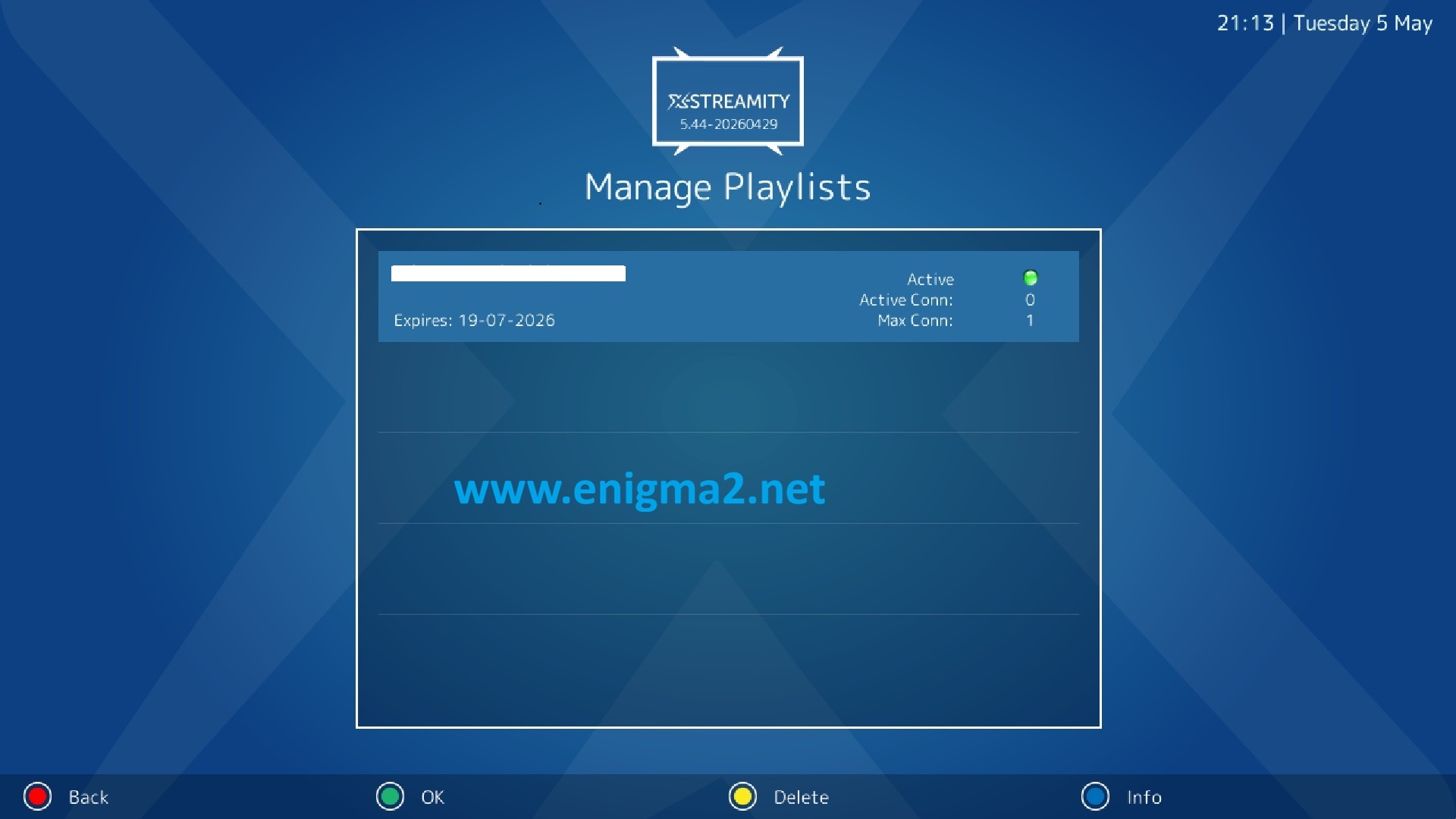
your subscription with EXPIRATION DATE
press OK to load playlist
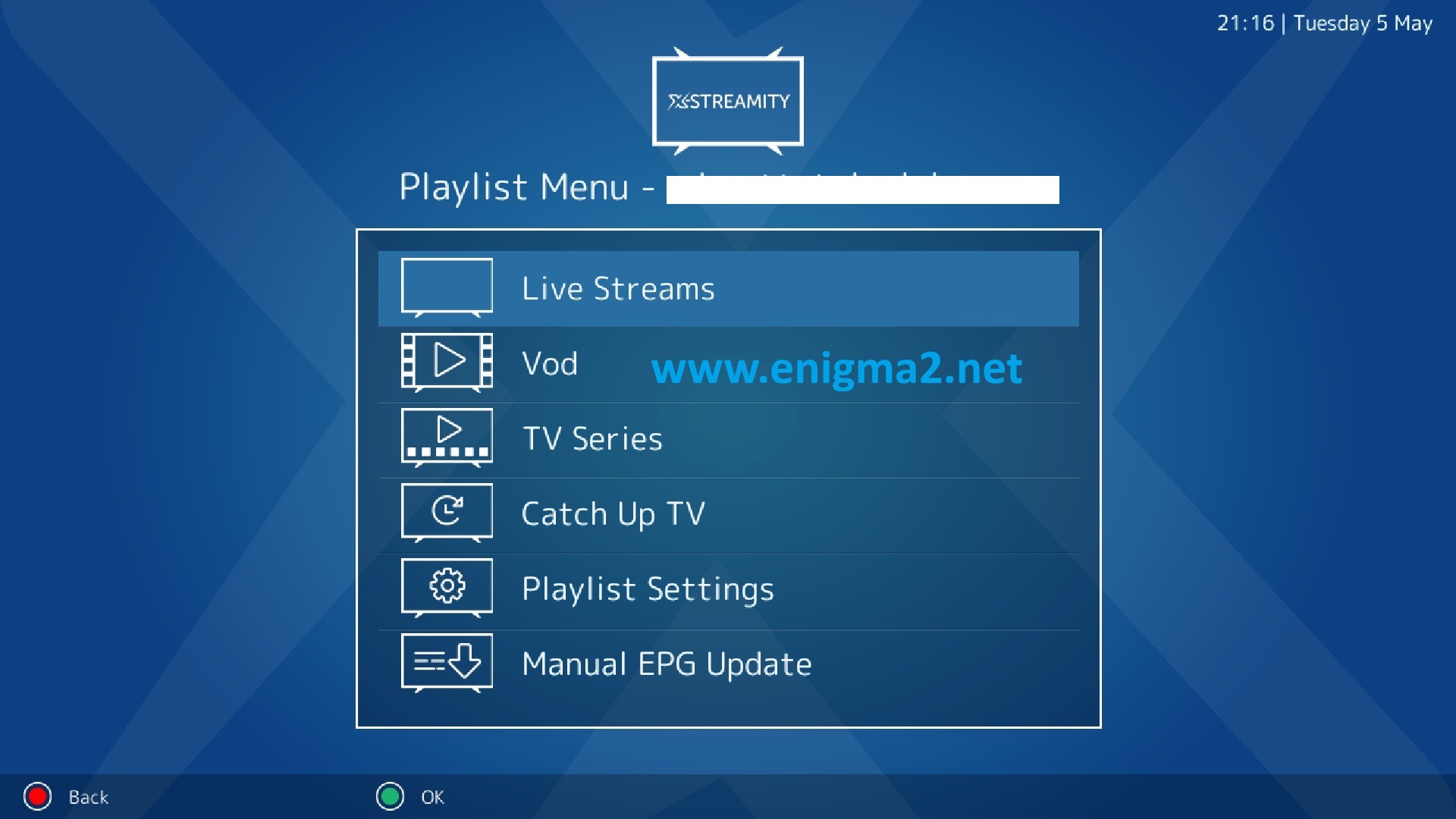
Now choose LIVE STRAMS to watch channels TV on streaming
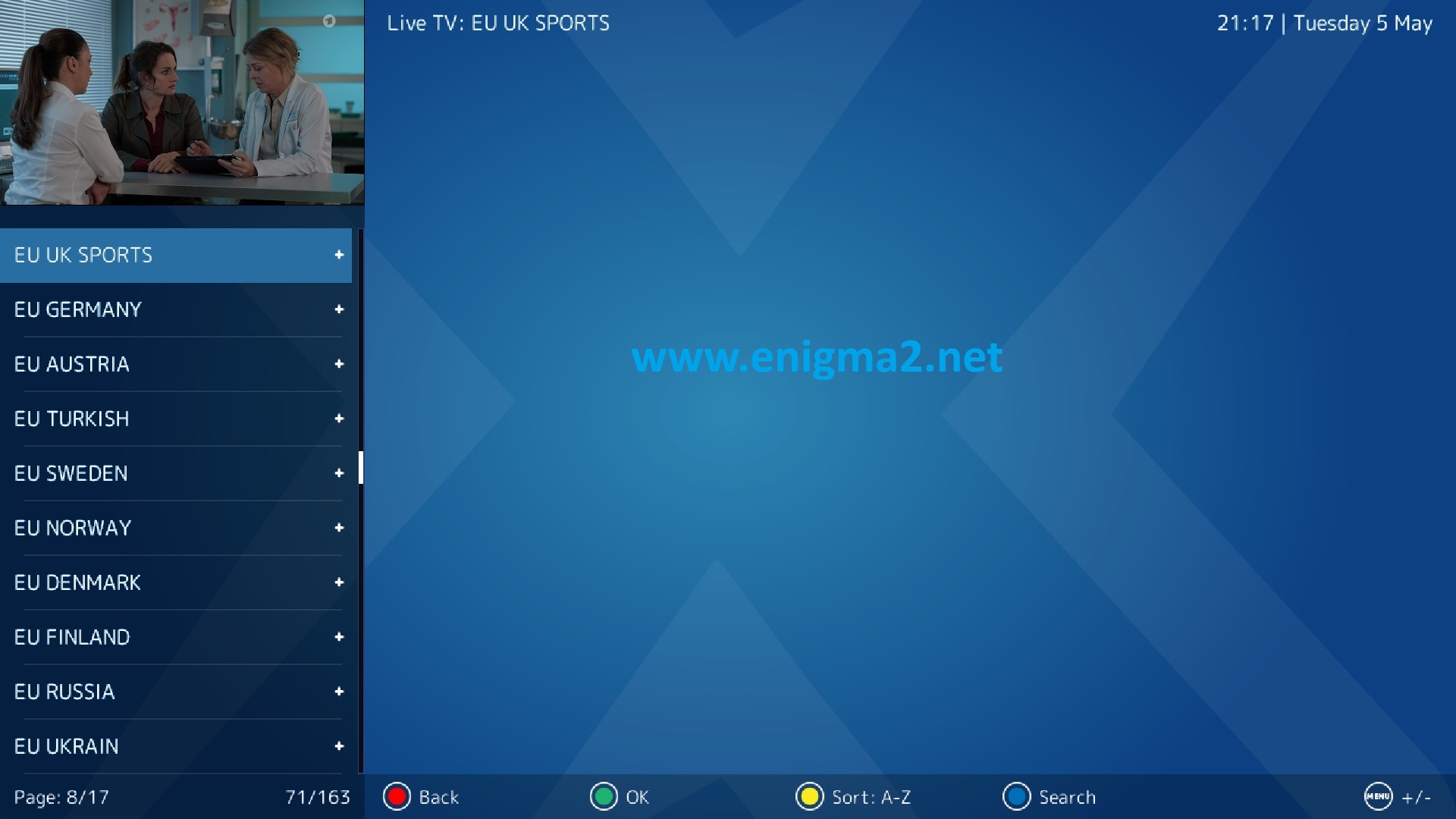
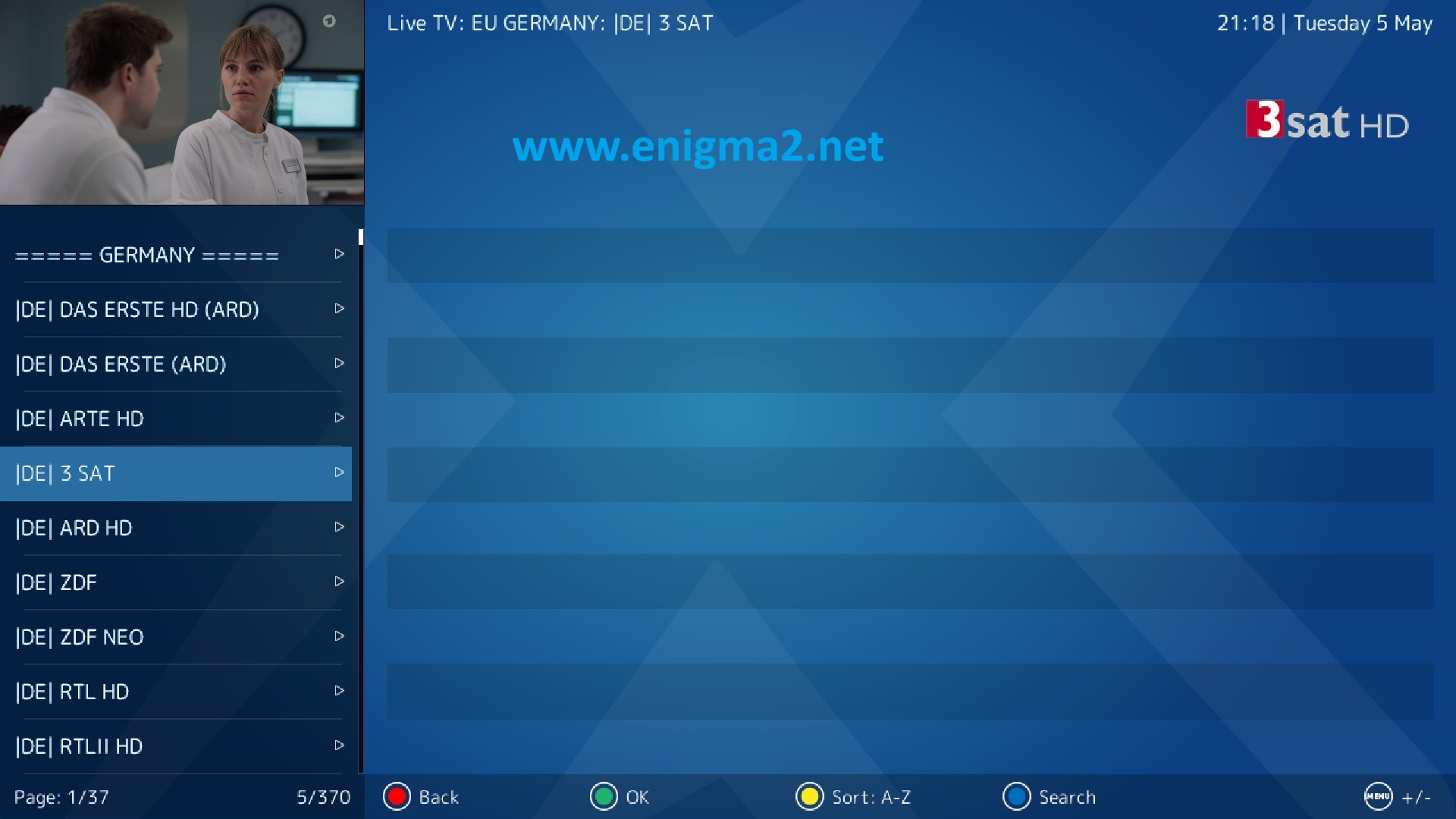
playlist loaded with success.

congratulation you can now watch your favorite channel


Enjoy 🙂