[HOW TO FLASH] how to flash TechnoMate tm twin
The Technomate TM-TWIN (OE) is the original high-definition twin-tuner model. Unlike the newer 4K versions, this legacy Broadcom-based receiver is extremely specific about its folder naming and USB hardware compatibility.
Preparation
-
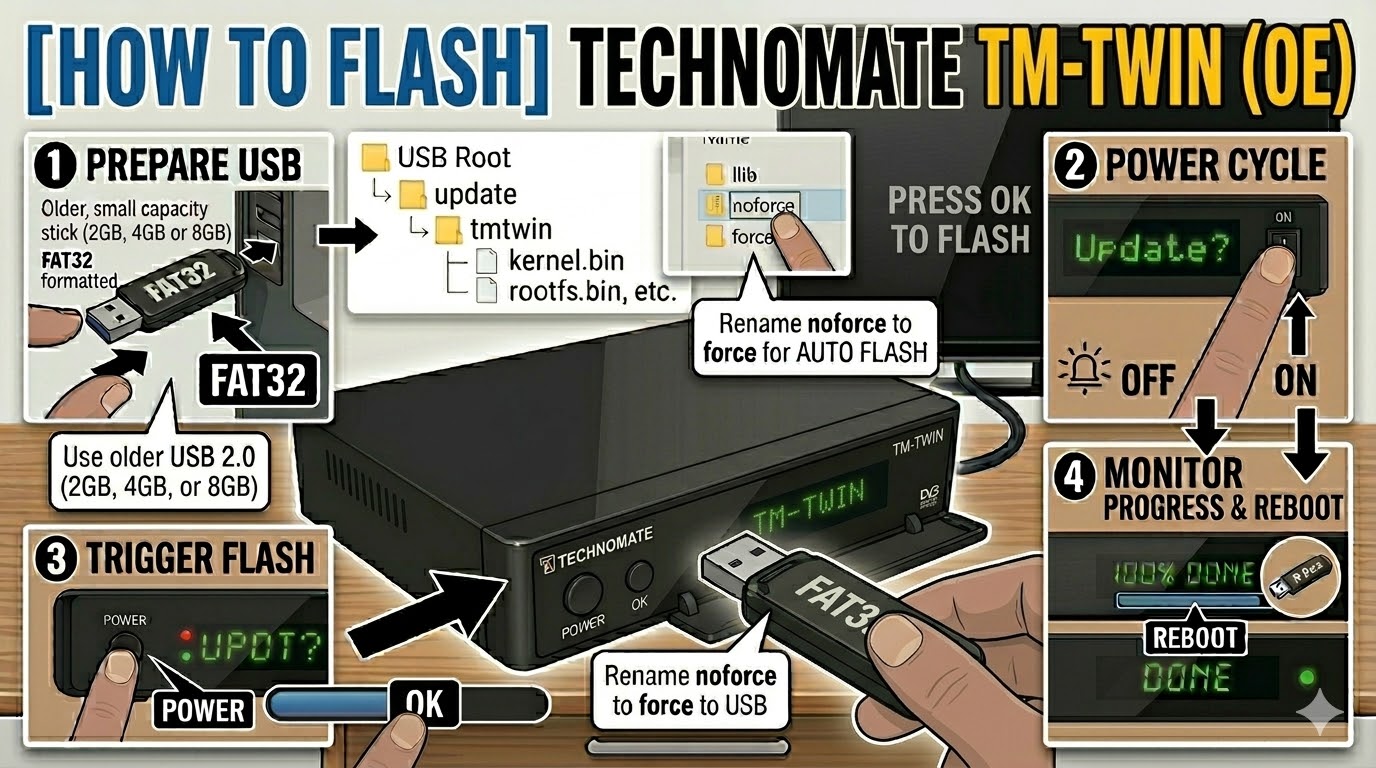
USB Drive: Use a FAT32 formatted USB stick. This model is legendary for being picky—use an older USB 2.0 (2GB, 4GB, or 8GB) drive. Modern high-speed or large-capacity drives will almost always be ignored by the bootloader.
-
The Files: Extract your image zip file (e.g., OpenATV, OpenViX). You must see a folder named
updateand a subfolder structure within it. -
Correct Path: Copy the
updatefolder to the root of your USB drive.-
Structure:
USB Root > update > tmtwin > cfe > (files: oe_kernel.bin, oe_rootfs.bin, etc.) -
Note: Ensure the folder is named exactly
tmtwin(all lowercase).
-
Flashing Steps
-
Power Down: Turn off the receiver using the physical rocker switch at the back.
-
Insert USB: Plug the USB stick into the front USB port (behind the front flap).
-
Power On: Flip the rear power switch to ON.
-
The Trigger:
-
Watch the front panel VFD display.
-
When it shows “Found Update” or “Update? Press OK”, immediately press the OK Button on the front panel (behind the flap).
-
-
Flashing Process: The display will show “Flashing” or show percentage progress. This typically takes 3 to 6 minutes. Do not turn off the power during this time.
-
Completion: Once finished, the display will show “Done” or “Success”, and the box will reboot automatically.
-
Finalize: Remove the USB stick as soon as the box starts to reboot to prevent it from detecting the flash files again on the next boot cycle.
Quick Troubleshooting
-
Box ignores the USB: Double-check the path. If it still boots to the old image, try using the rear USB port. If that fails, the USB stick is likely too modern; try an older, slower drive.
-
The “Force” Shortcut: If the front buttons are unresponsive, go into the
cfefolder on your USB, find the file namednoforce, and rename it toforce. The receiver will then flash automatically upon power-up without needing a button press.

The flashing process should take approximately two to four minutes to complete, while the receiver
is being flashed it is vitally important that you DO NOT power the receiver down for any reason as
this can cause serious and or permanent damage.