[HOW TO FLASH] how to flash Octagon SX88V2 4K DUAL
To flash the Octagon SX88V2 4K DUAL, the process aligns with Octagon’s modern 4K multiboot architecture (similar to the SF8008 and SX988). This model uses the Hi3798MV300 chipset, which utilizes a Recovery Menu for flashing different images into its slots.
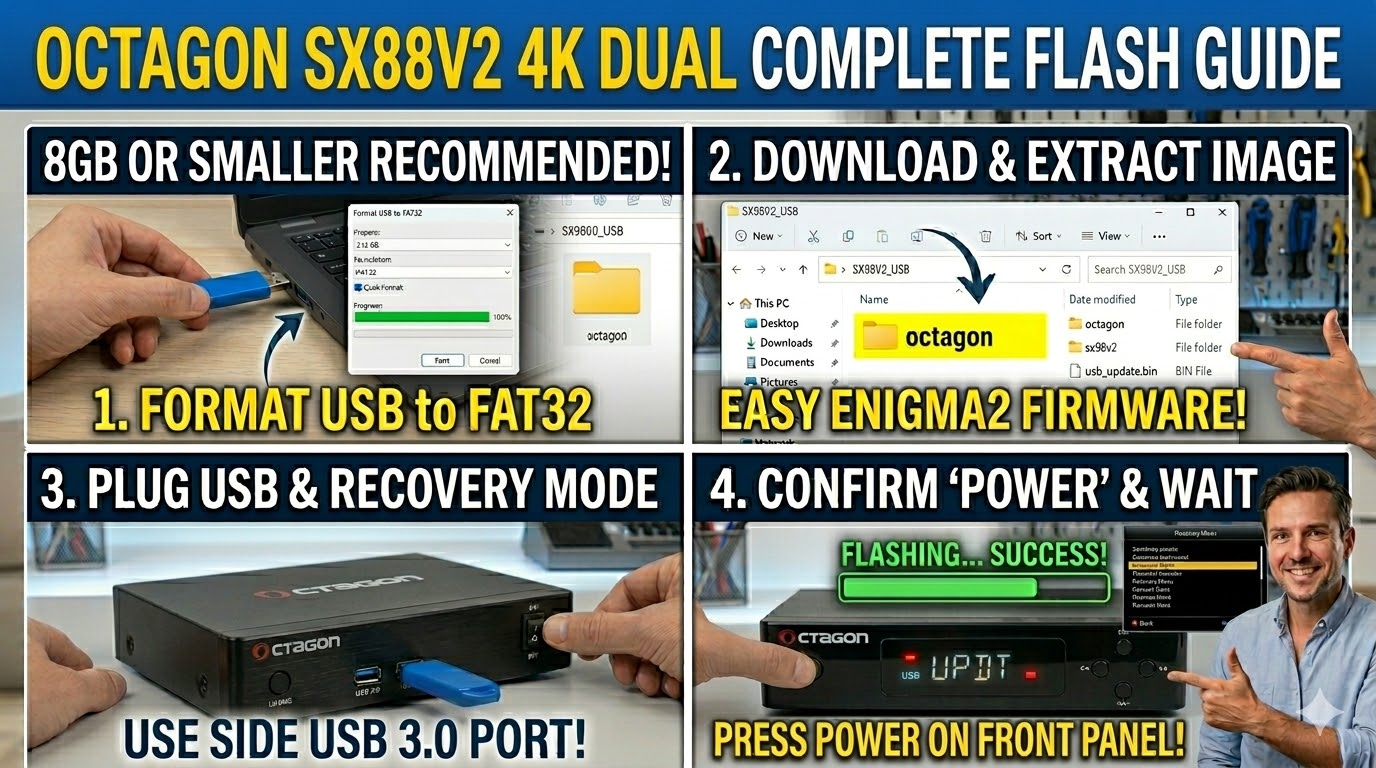
1. Preparation
-
USB Stick: Use a high-quality USB 2.0 or 3.0 stick (8GB or smaller is recommended).
-
Format: The stick must be formatted to FAT32.
-
Firmware: Download the image specifically for the SX88V2.
-
For a fresh install or recovery, look for the file usually ending in
_mmc.zipor_recovery.emmc.zip.
-
2. Folder Structure
Modern Octagon 4K models require a specific directory on the USB:
-
Extract the downloaded zip file.
-
You will find a folder named
octagon. -
Copy the entire
octagonfolder to the root of your USB stick.-
Path:
USB:\octagon\sx88v2\ -
Files: Inside that subfolder, you should see files such as
usb_update.bin,boot.img, androotfs.tar.bz2.
-
3. The Flashing Process (Recovery Menu)
-
Power Off: Turn off the receiver using the power switch at the back.
-
Insert USB: Plug the USB stick into the USB 3.0 port (usually the blue one on the side).
-
Enter Recovery: * Press and hold the Power button on the front panel.
-
While holding it, turn the back power switch to ON.
-
Continue holding the front Power button until the “Boot” message on the display changes or the Recovery Menu appears on your TV screen.
-
-
Select Flash: Use the remote to navigate to “Flash Recovery Image” (for a full wipe) or “USB Multiboot Image Upgrade” (to install Enigma2 into a specific slot).
-
Confirm: Select the image from the USB and press OK to begin. The box will display progress and reboot automatically when finished.
Comparison for enigma2.net
The SX88V2 4K Dual is a “Dual OS” box, meaning it can run both Define OS (the factory firmware) and Enigma2 (like OpenATV) simultaneously. If you are writing for the site, emphasize that the _mmc.zip file is used for multibooting, while the _recovery.emmc.zip is for fixing a non-booting box.