[HOW TO FLASH] how to flash EVO ENfinity X2 +
The EVO ENfinity X2+ (Triple Tuner) is a powerful Linux-based Enigma2 receiver. Much like the Nova and Slim models you’ve worked with for enigma2.net, it relies on a specific USB directory structure to trigger the flash.
Flashing the EVO ENfinity X2+ (Step-by-Step)
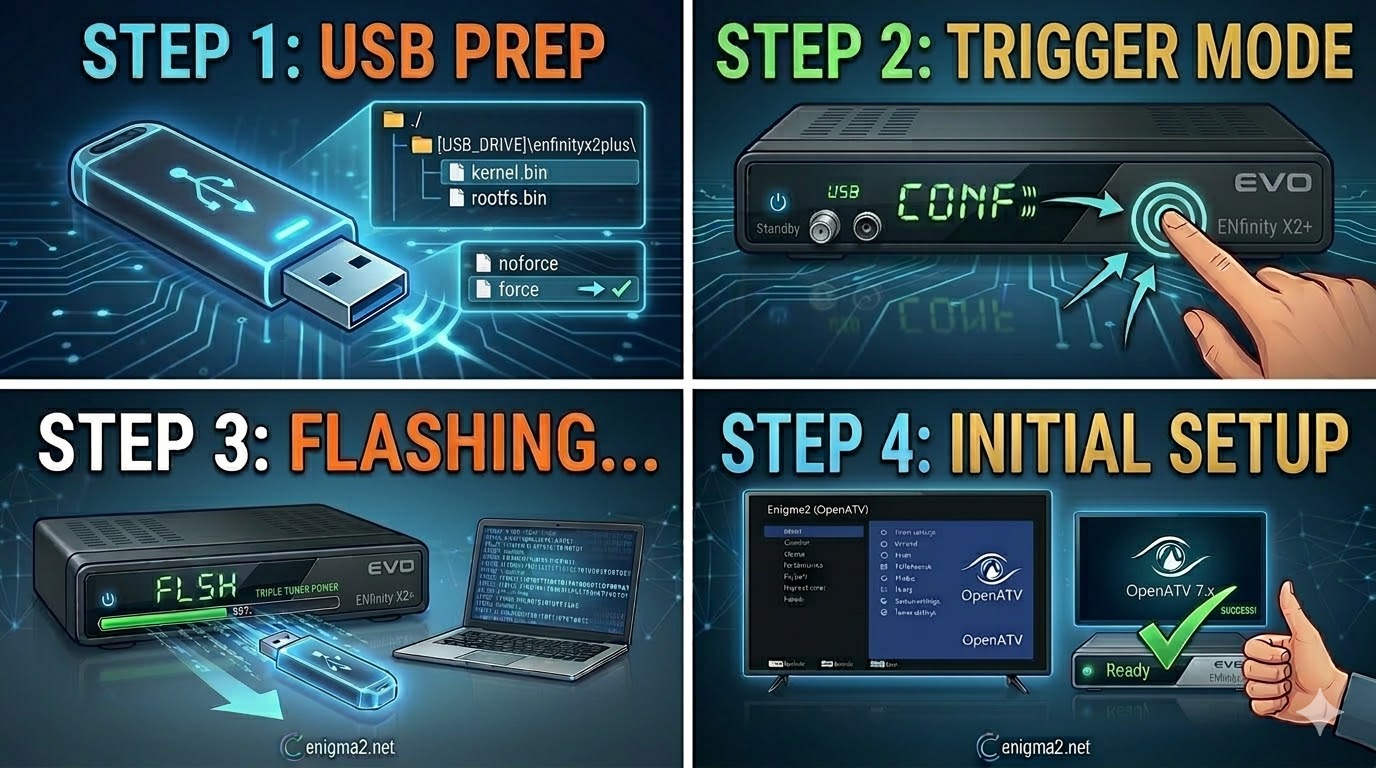
1. Prepare the USB Drive
-
Format: Use a USB 2.0 stick (FAT32 formatted).
-
Download: Get the image for the
enfinityx2plus(OpenATV is recommended). -
The Folder Path: Extract the ZIP file. The root of your USB must contain a folder named
enfinityx2plus.-
Path:
USB_ROOT/enfinityx2plus/
-
-
Verify Files: Inside that folder, you should see:
-
kernel.bin -
rootfs.bin -
imageversion -
noforce(Rename this file toforceif you want the receiver to flash automatically without a button press).
-
2. The Flashing Procedure
-
Power Down: Turn off the receiver at the rear power switch.
-
Insert USB: Plug the stick into the rear USB port.
-
The Trigger:
-
Turn the power switch back to ON.
-
If using ‘noforce’: Watch the front display. When prompted, press the Power/Standby button on the front panel to confirm.
-
If using ‘force’: The receiver will automatically detect the files and begin.
-
-
Progress: The front display will show the flashing status (e.g., “FLSH” or a percentage).
-
Finish: The receiver will reboot once the process is complete. You can then remove the USB.

The flashing process should take approximately two to four minutes to complete, while the receiver
is being flashed it is vitally important that you DO NOT power the receiver down for any reason as
this can cause serious and or permanent damage.