[HOW TO FLASH] how to flash uClan Ustym 4K OTT Premium
The uClan Ustym 4K OTT Premium is a specialized Hisilicon-based receiver designed for high-end IPTV and Enigma2 performance. Like its “Pro” sibling, it uses a recovery-based system that allows you to manage different software slots.
Preparation
-
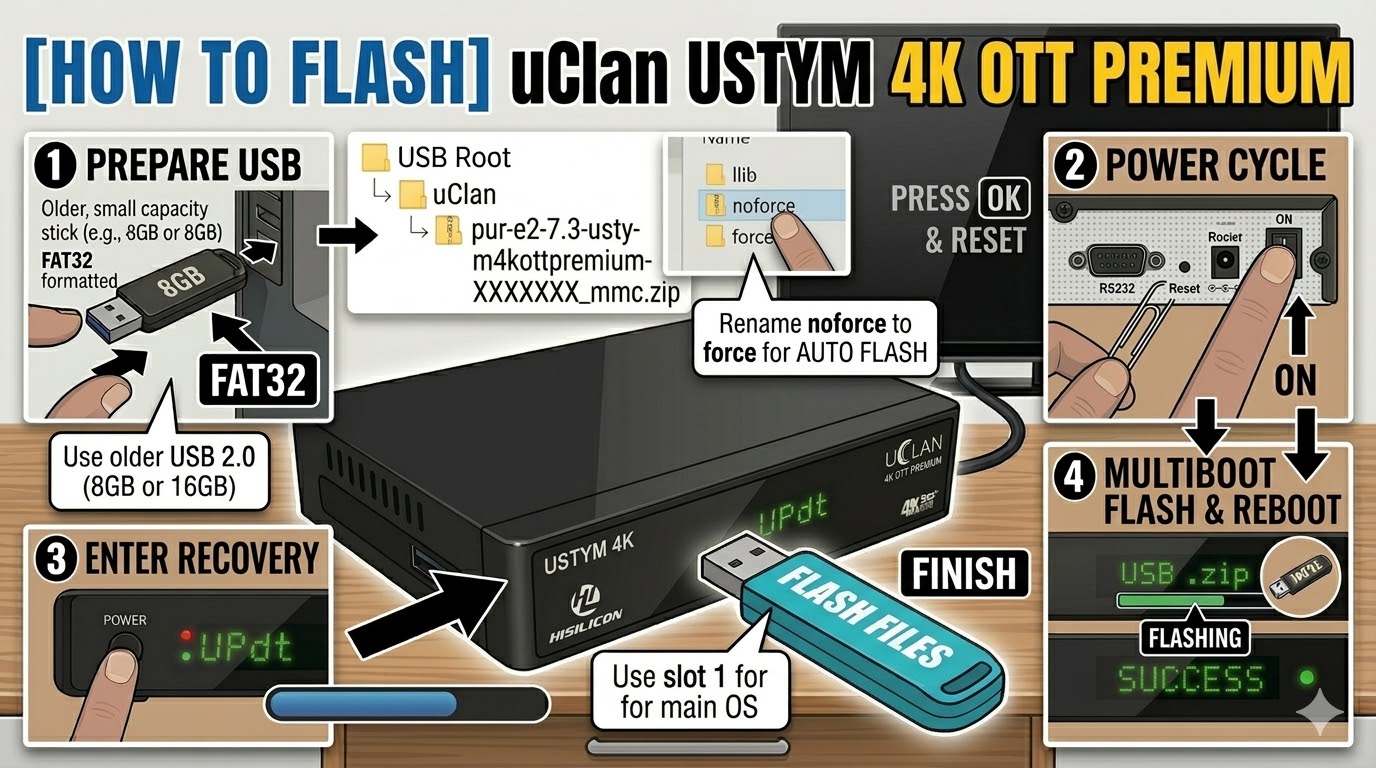
USB Drive: Use a FAT32 formatted USB stick. A USB 2.0 (8GB or 16GB) drive is recommended for maximum bootloader compatibility.
-
The Files: Download the “mmc” or “recovery” version of your chosen image (e.g., OpenATV, PurE2).
-
Path: Place the image zip file directly on the root of your USB drive. Do not unzip it unless you are performing a low-level “recovery” flash.
-
Path:
USB Root > openatv-7.x-ustym4kottpremium-XXXXXXXX_mmc.zip
-
Flashing Steps (The Recovery Method)
-
Power Off: Turn off the receiver using the physical power switch at the back.
-
The Reset Trigger: * Locate the small Reset button on the rear of the device.
-
Using a paperclip or pin, press and hold the Reset button.
-
-
Power On: While holding the Reset button, flip the back power switch to ON.
-
Enter Recovery: Keep holding the button until you see the Recovery Menu on your TV screen (or “Updt” on the front display).
-
Install Image:
-
Use the remote to select “USB Multiboot Image Upgrade.”
-
Navigate to your USB drive and select the
.zipfile. -
Choose the Slot (e.g., Slot 1) where you want to install the new software.
-
-
Finish: Once the process hits 100%, select “Reboot” and choose the slot you just updated.
Alternative “Emergency” Flash
If the box won’t boot at all:
-
Extract the recovery zip to the USB root. You should see a folder named
uclanand a file namedusb_update.bin. -
Insert USB, hold the Power Button on the front panel (or the Reset button), and power on the box.
-
The box will automatically detect the files and begin a forced recovery.
Troubleshooting Tips
-
USB Recognition: If the Recovery Menu doesn’t see your zip file, try the other USB port (there is usually one on the side and one on the back).
-
Network Flashing: If the box is connected via Ethernet, you can often select “Network Upgrade” from the Recovery Menu to download and flash the latest images without using a USB stick at all.