[HOW TO FLASH] how to flash Golden Interstar XPEED LX CLASS S2
To flash the Golden Interstar XPEED LX CLASS S2, you will follow the standard procedure for the LX Class series. This model is a compact, high-efficiency Broadcom-based receiver, and like its larger siblings, it requires a specific folder structure to initiate the bootloader update.
1. Preparation
-
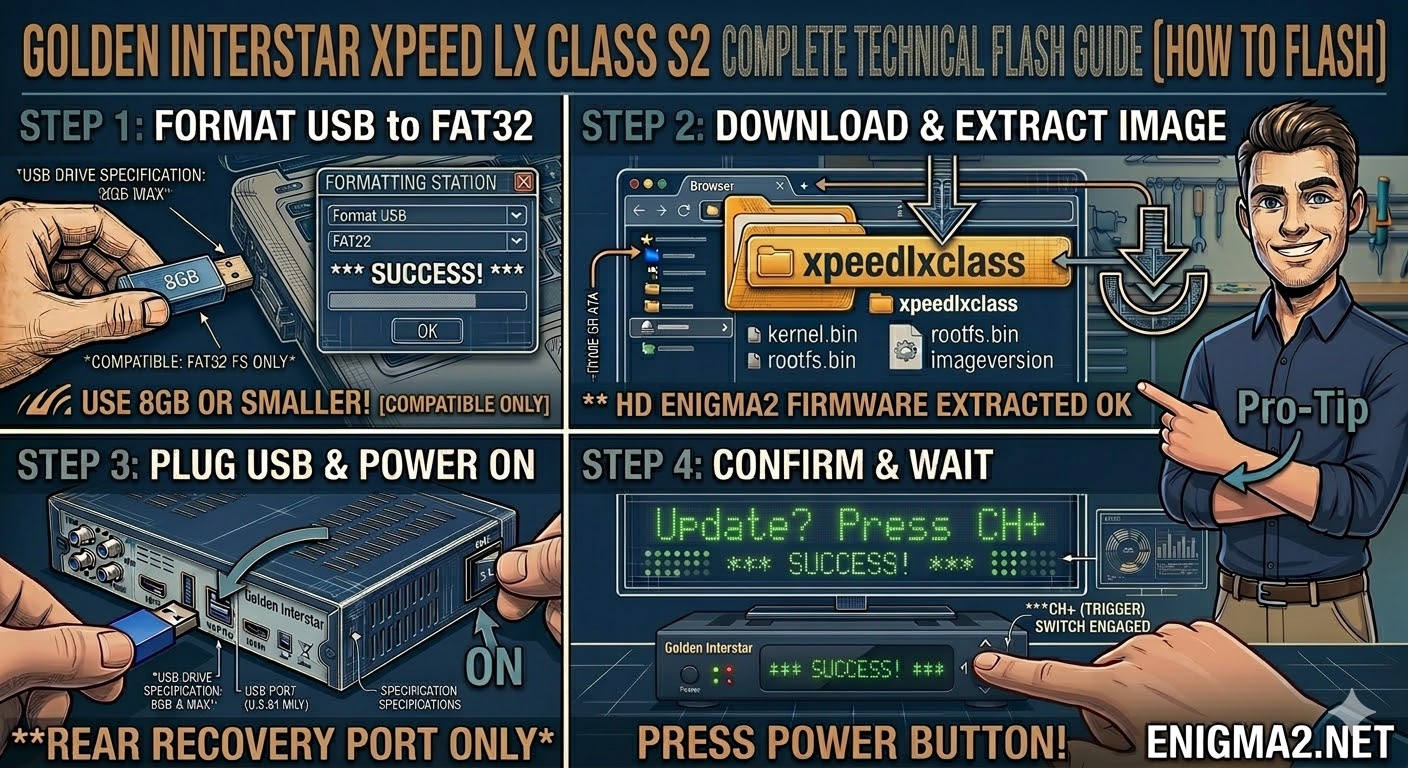
USB Stick: Use a USB 2.0 stick (up to 8GB is safest).
-
Format: Ensure it is formatted to FAT32.
-
Firmware: Download the image specifically for the LX Class S2.
2. Folder Structure
The receiver looks for the xpeedlxclass directory. Note that this is different from the older LX1/LX2 models.
-
Extract the firmware
.zipfile. -
You should see a folder named
xpeedlxclass. -
Copy that entire folder to the root of your USB stick.
-
Path:
USB:\xpeedlxclass\ -
Contents: Inside, you should see
kernel.bin,rootfs.bin, andimageversion.
-
3. The Flashing Process
-
Power Off: Turn off the receiver (unplug the power lead or use the rear switch if available).
-
Insert USB: Plug the stick into the rear USB port.
-
Power On: Power the receiver back on.
-
Initiate Flash:
-
Watch the front panel LED or the TV screen.
-
When the prompt appears (usually “USB” or “Update”), quickly press the Power button on the front panel (or the CH+ button on some versions of this specific hardware) to confirm.
-
-
Wait: The LED will flash or the display will indicate progress. Do not remove the power.
-
Completion: The box will reboot into the new Enigma2 setup wizard.

The flashing process should take approximately two to four minutes to complete, while the receiver
is being flashed it is vitally important that you DO NOT power the receiver down for any reason as
this can cause serious and or permanent damage.