[HOW TO FLASH] how to flash Mutant HD2400
To flash the Mut@nt HD2400, we move away from the modern “Recovery Menu” of the 4K boxes and back to the classic Enigma2 flashing method. The HD2400 is a powerful, older generation Broadcom-based receiver that requires a specific button press on the front panel to initiate the process.
1. Preparation
-
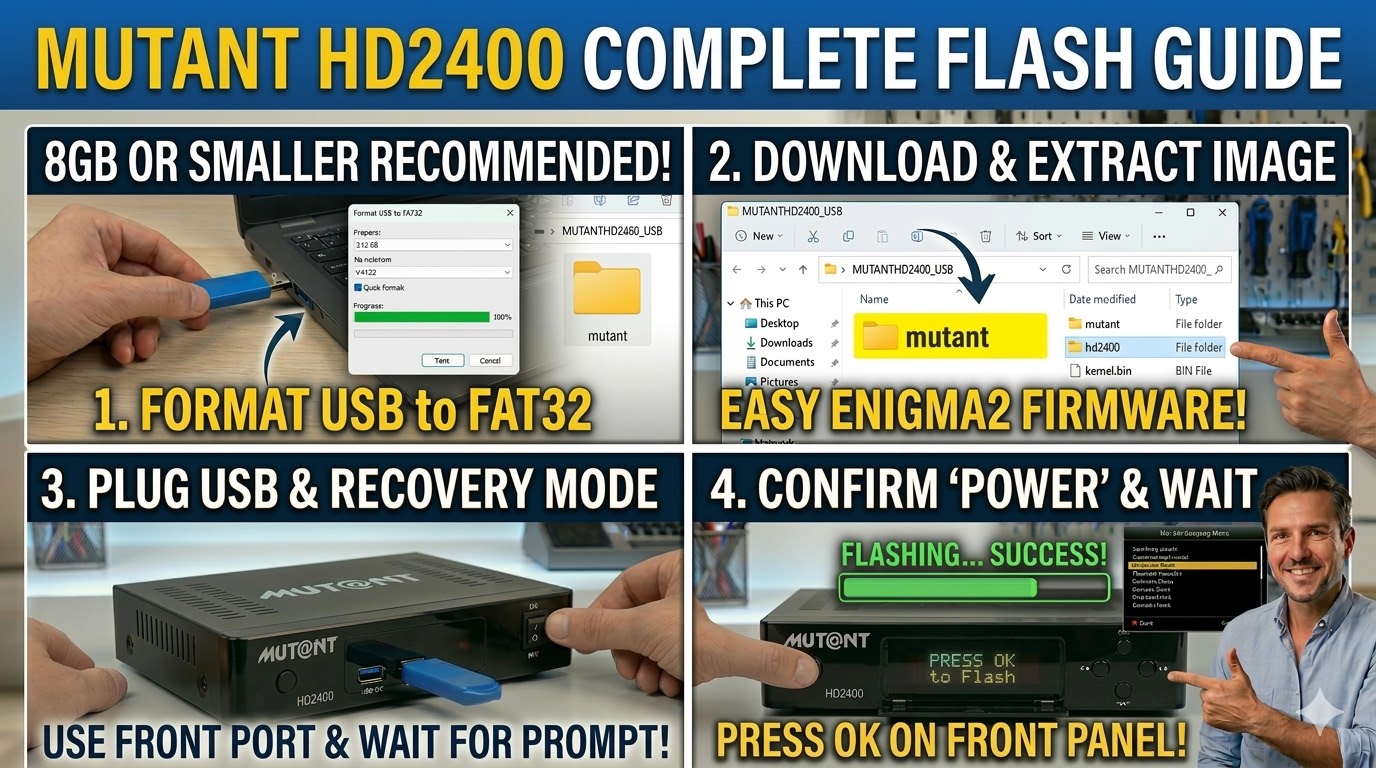
USB Stick: Use a high-quality USB stick (8GB or smaller is highly recommended for older bootloaders).
-
Format: The stick must be formatted to FAT32.
-
Firmware: Download the image specifically for the HD2400 (e.g., OpenATV or OpenViX).
2. Folder Structure
The HD2400 looks for a folder named after the manufacturer.
-
Extract the downloaded firmware zip file.
-
You will see a folder named
mutant. -
Copy the entire
mutantfolder to the root of your USB stick.-
Path:
USB:\mutant\hd2400\ -
Inside the hd2400 folder: You should see files like
kernel.bin,rootfs.bin, andimageversion.
-
3. The Flashing Process
-
Power Off: Turn off the receiver using the power switch at the back.
-
Insert USB: Plug the USB stick into one of the front USB ports (hidden behind the flap) or a rear port.
-
Power On: Turn the back power switch to ON.
-
Initiate Flash:
-
Watch the front panel display. When it detects the USB, it will display a message like “Found Image” or “Press OK to Flash”.
-
Quickly press the OK button located on the front panel (behind the flap) to confirm.
-
-
Wait: The display will show the progress (e.g., “Flashing…”). The process usually takes 2–4 minutes.
-
Completion: Once finished, the receiver will reboot automatically. You can then safely remove the USB stick.

The flashing process should take approximately two to four minutes to complete, while the receiver
is being flashed it is vitally important that you DO NOT power the receiver down for any reason as
this can cause serious and or permanent damage.