[HOW TO FLASH] how to flash SPYCAT mini plus
The SPYCAT Mini Plus is a compact but powerful Enigma2 receiver that follows the standard SPYCAT flashing procedure. It requires a specific folder structure to be recognized by the bootloader upon startup.
Preparation
-
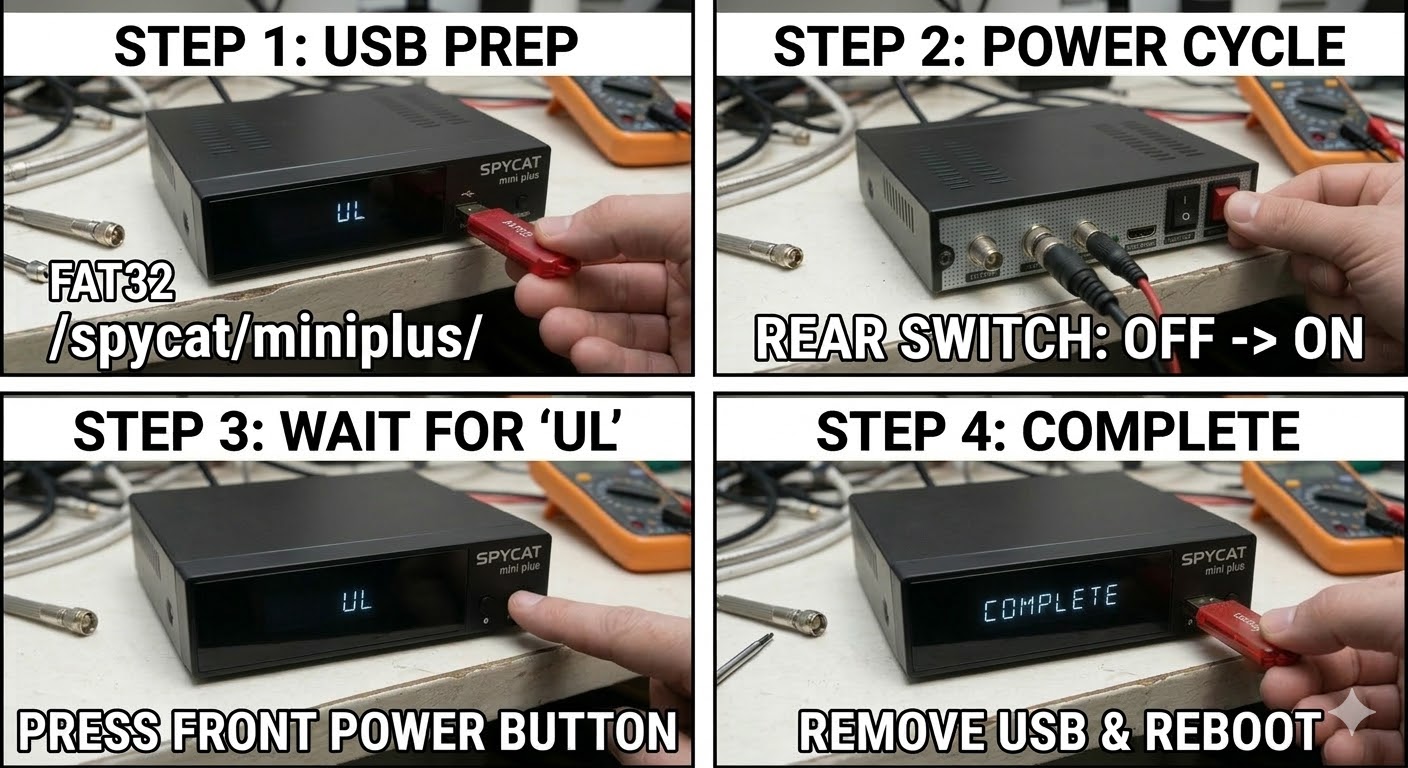
USB Drive: Use a FAT32 formatted USB stick. For the best results, use an older USB 2.0 drive (8GB or smaller).
-
The Files: Extract your chosen image (e.g., OpenATV, OpenViX). You should see a folder named
spycat. -
Root Path: Copy the
spycatfolder to the root of your USB drive.-
Structure:
USB Root > spycat > miniplus > (files: kernel.bin, rootfs.bin, etc.) -
Note: Ensure the subfolder is named
miniplus(no spaces).
-
Flashing Steps
-
Power Down: Turn off the receiver using the physical power switch at the back.
-
Insert USB: Plug the USB stick into the rear USB port.
-
Power On: Flip the rear power switch to ON.
-
The Trigger: * Watch your TV screen.
-
When the splash screen or a prompt appears asking to update, immediately press the OK Button on your Remote Control.
-
-
Flashing Process: You will see the flashing progress on your TV. This typically takes about 3 minutes. Do not power off during this stage.
-
Completion: The receiver will reboot automatically once the process is finished.
-
Finalize: Remove the USB drive as soon as the box starts to reboot to prevent it from detecting the update files again.
Quick Troubleshooting
-
USB not detected: If it boots to the old image, your USB stick might be too modern. Try a different, older USB 2.0 drive or ensure the folder path is exactly
spycat/miniplus/. -
Remote response: Make sure the remote has fresh batteries and is pointed directly at the IR sensor, as the “OK” window during boot is often quite short.

The flashing process should take approximately two to four minutes to complete, while the receiver
is being flashed it is vitally important that you DO NOT power the receiver down for any reason as
this can cause serious and or permanent damage.