[HOW TO FLASH] how to flash vizyon vita
The Vizyon Vita (and its sibling, the Vizyon Vita 4K) is an Enigma2-based receiver. While it is more modern than some older Linux boxes, the flashing process remains consistent with the “USB root folder” method.
Preparation
-
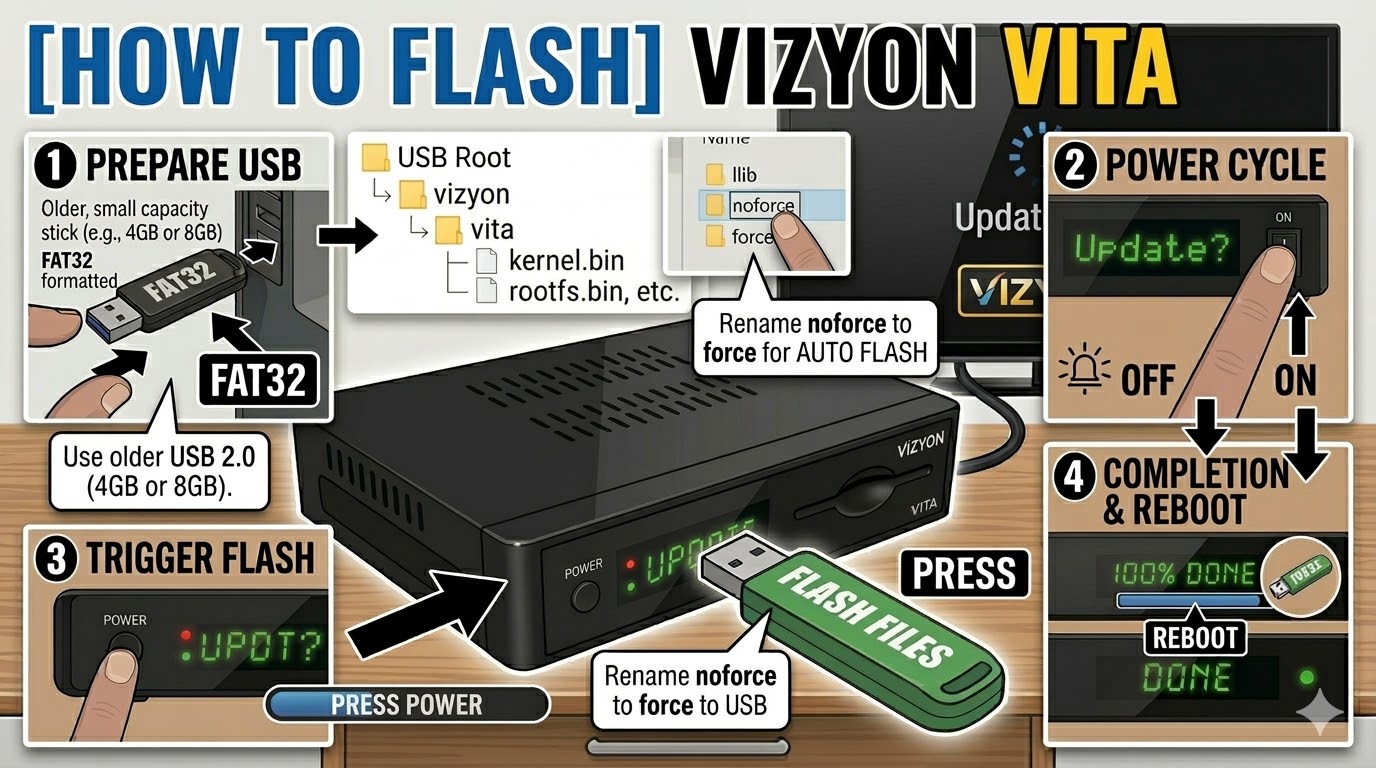
USB Drive: Use a FAT32 formatted USB stick. For the Vita models, a 4GB or 8GB USB 2.0 drive is highly recommended for the best compatibility.
-
The Files: Extract your image zip file (e.g., OpenATV, PurE2). You should see a folder named
vizyonand inside it, a subfolder namedvita(orvita4kif you have the 4K model). -
Path: Copy the
vizyonfolder to the root of your USB drive.-
Structure:
USB Stick -> vizyon -> vita -> (bin/image files)
-
Flashing Steps
-
Power Down: Turn off the receiver using the physical power switch at the back.
-
Insert USB: Plug the USB stick into the side or rear USB port.
-
Power On: Turn the back switch to ON.
-
The Trigger: * Watch the front panel LED or the TV screen.
-
When the front panel shows “UPDT” or a prompt appears on the TV, immediately press the Power Button on the front panel of the receiver.
-
-
Monitoring: The LED will blink or the screen will show a progress bar. This typically takes 3–5 minutes.
-
Completion: The box will automatically reboot once the flash is successful.
-
Finalize: Remove the USB stick as soon as the box starts to reboot to prevent it from entering the update cycle again.
Important Tips
-
The “Force” Method: If the front button is unresponsive, go into the
vitafolder on your USB, find the file namednoforce, and rename it toforce. This will trigger an automatic flash upon power-up without needing a button press. -
Rear Port: If the side port doesn’t recognize the stick, try the rear port; it is often directly connected to the main bus and more reliable for bootloader tasks.

The flashing process should take approximately two to four minutes to complete, while the receiver
is being flashed it is vitally important that you DO NOT power the receiver down for any reason as
this can cause serious and or permanent damage.