[HOW TO FLASH] how to flash Xsarius Revo 4K
The Xsarius Revo 4K is a powerful Enigma2 receiver, and like its Pure and Fusion siblings, the flashing process is straightforward but requires precise button timing during boot.
Preparation
-
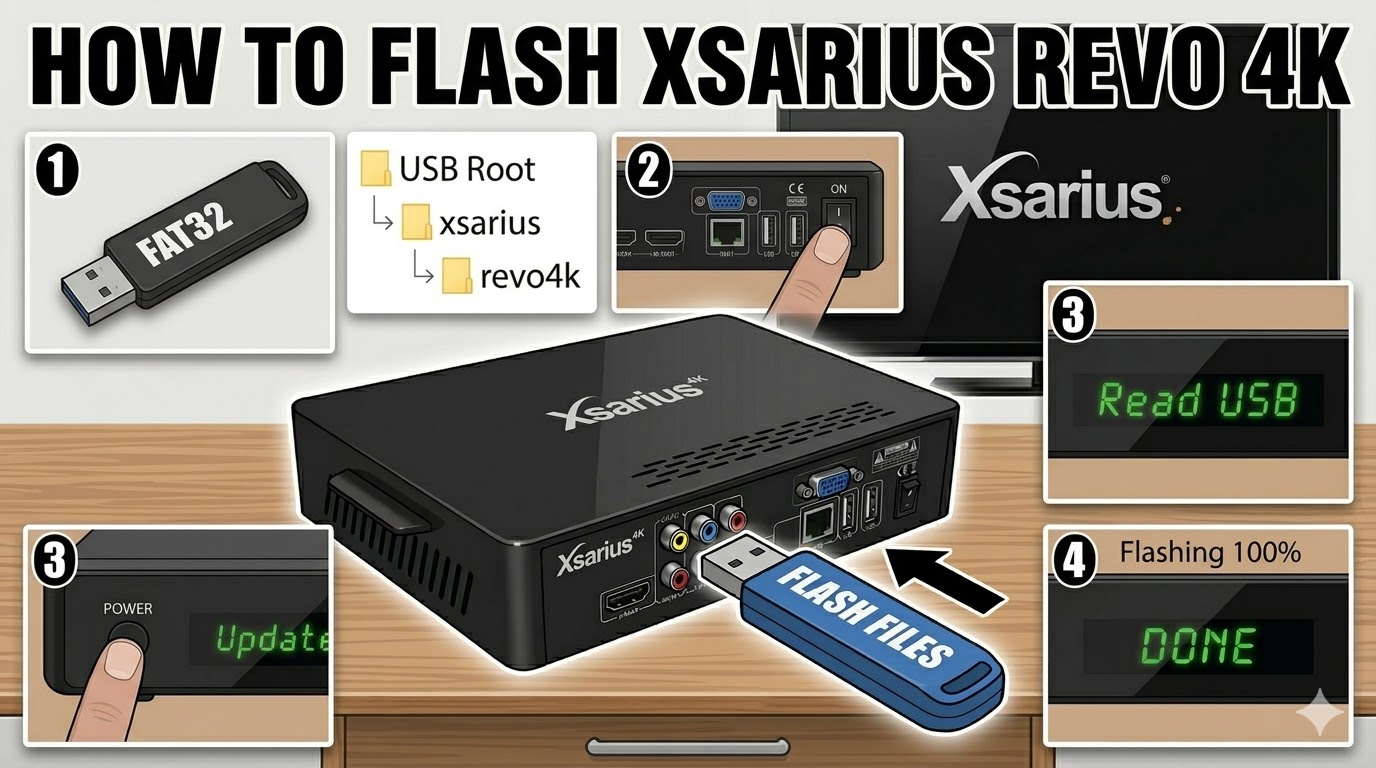
USB Drive: Use a FAT32 formatted USB stick. For 4K receivers, a high-speed USB 3.0 drive usually works best, but if it fails, try an older USB 2.0 drive (8GB or smaller).
-
Folder Structure: When you unzip the image (e.g., OpenATV, PurE2, or OpenPLi), you must have a folder named
xsariusand a subfolder namedrevo4k.-
Structure:
USB Root > xsarius > revo4k > (6 files including 'kernel.bin', 'rootfs.tar.bz2', etc.).
-
Flashing Steps
-
Power Down: Turn off the receiver using the rocker switch at the rear.
-
Insert USB: Plug the USB drive into the side or rear USB port.
-
Power On & Trigger: * Flip the rear power switch to ON.
-
As soon as you see “Read USB” or “Update” appear on the front panel display, immediately press the Power Button (on the front panel, not the remote).
-
-
Monitoring: The display will change to “Flashing” or show a progress percentage.
-
Completion: Once the process hits 100% or says “Success”, the receiver will typically reboot itself.
-
Tip: Remove the USB stick as soon as the box starts to reboot to prevent it from entering the flash cycle again.
-
Important Notes
-
The “Force” Method: If you cannot get the front button to trigger the flash, look for a file named
noforceinside therevo4kfolder and rename it toforce. This will bypass the button-press requirement. -
HDMI Connection: Ensure your TV is on the correct HDMI input before starting so you can see the initial setup wizard once the flash is done.

The flashing process should take approximately two to four minutes to complete, while the receiver
is being flashed it is vitally important that you DO NOT power the receiver down for any reason as
this can cause serious and or permanent damage.